Zendesk’s product team has been busy, releasing a steady stream of updates throughout August. We’re here to cut through the noise and give you the expert take on what’s new and what it means for your operations.
Our Take: Zendesk’s New ClickUp & Magento Connectors Are a Game-Changer for Automation
What We Think: Zendesk has released two new native Zendesk action builder connectors for ClickUp and Magento 2. This is a significant, practical step forward for any team using these popular platforms. By embedding project management and e-commerce workflows directly into Zendesk, these connectors eliminate the dreaded “swivel-chair” interface, reduce manual data entry, and empower agents with the context they need to resolve issues faster. Our verdict? This is a fantastic update that delivers real, measurable efficiency gains for support, operations, and e-commerce teams.
The Reality Check: What’s Actually Changing?
Let’s cut through the marketing jargon. Zendesk’s “action builder” is its native tool for creating automated, multi-step workflows. With this announcement, Zendesk has added direct, pre-built integrations for ClickUp (a project management tool) and Magento 2 (a popular e-commerce platform). Previously, connecting these systems would often require a third-party integration platform or custom development.
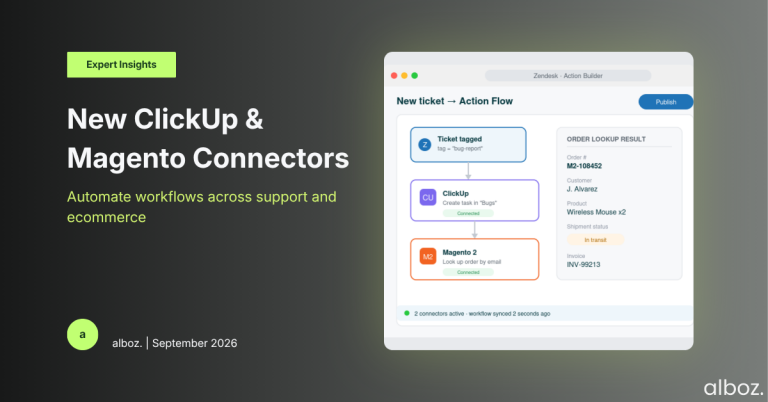
Now, you can build automations directly within Zendesk that perform actions in these other systems. For example, a workflow can now automatically create a ClickUp task when a ticket is tagged as a ‘bug’, or look up a customer’s order history from Magento and display it in a ticket. This isn’t about adding a small new feature; it’s about fundamentally changing how your support team interacts with other critical business systems.
Our Expert Opinion: Breaking Down the Silos
We see this as a direct assault on operational silos, and that’s a very good thing. The real impact here is how these connectors bridge the gap between different departments and data sources.
For teams using ClickUp: The connection between customer support and product/engineering teams has always been a point of friction. Support agents identify bugs and feature requests, but getting that information into the development team’s backlog is often a manual, error-prone process. With the new connector, you can:
- Automate task creation: A new ticket with specific criteria can automatically generate a task in the correct ClickUp list. No more forgetting to log a bug.
- Synchronise updates: Keep internal teams in the loop by automatically adding comments to a ClickUp task as the customer conversation in the Zendesk ticket progresses.
- Ensure accountability: By creating a direct, trackable link between a customer issue and an internal work item, it’s easier to follow up and ensure nothing falls through the cracks.
For teams using Magento 2: This is a massive win for e-commerce support. One of the biggest drains on agent time is switching to the e-commerce backend to look up order information. The Magento 2 connector gives agents and admins direct access to critical commerce data from within their Zendesk workflow. They can now search for and retrieve information on:
- Customers and Orders
- Products and Invoices
- Shipment Status
This directly impacts key CX metrics like Average Handle Time (AHT) and First Contact Resolution (FCR). When an agent can instantly verify an order number or check a shipment status without leaving the ticket, they can provide a faster, more accurate answer. This is about empowering agents with the information they need at the exact moment they need it.
How We’d Handle the Rollout
Implementing new automation tools requires a thoughtful approach. Rushing in can create more problems than it solves. Here is what we’re advising our clients to do to get the most out of these new Zendesk action builder connectors.
| Phase | Key Action | Our Recommendation |
|---|---|---|
| 1. Discovery & Scoping | Identify high-volume, repetitive cross-platform tasks. | Start by interviewing your agents. What tasks do they perform most often in ClickUp or Magento? Common candidates are bug reporting, feature requests, and “Where is my order?” queries. Map these workflows visually. |
| 2. Configuration & Testing | Build and test your first workflow. | Don’t try to automate everything at once. Pick one simple, high-impact workflow to start. For ClickUp, try “Create a ‘Bug Report’ task from a ticket with a specific tag.” For Magento, “Look up order details based on ticket requester’s email and post as an internal note.” Test rigorously. |
| 3. Agent Training & Go-Live | Communicate the change and monitor the results. | Show your agents how the new automation works and, more importantly, how it helps them. Emphasise the time saved and the reduction in manual tasks. Go live and closely monitor the first few days of operation. |
| 4. Optimisation & Expansion | Gather feedback and identify new opportunities. | Once the initial workflow is stable, ask for feedback. What’s working? What isn’t? Use these insights to refine the automation and identify the next workflow to build. This phase is critical and is often where a partner like us, with deep experience in Zendesk integrations, can add significant value. |
In summary, these new Zendesk action builder connectors are a powerful addition for any organisation using ClickUp for project management or Magento for e-commerce. They represent a significant enhancement, promising to reduce manual effort, improve data accuracy, and ultimately allow your support teams to focus on delivering exceptional customer experiences. This is a very welcome move by Zendesk towards a more integrated and efficient support ecosystem. If you need help planning your implementation, reach out to your alboz. Solution Consultant.