
Zendesk is constantly evolving its platform, releasing updates that can impact everything from your agent workflow to your core security. Our experts are here to break down what’s new and what it really means for you.
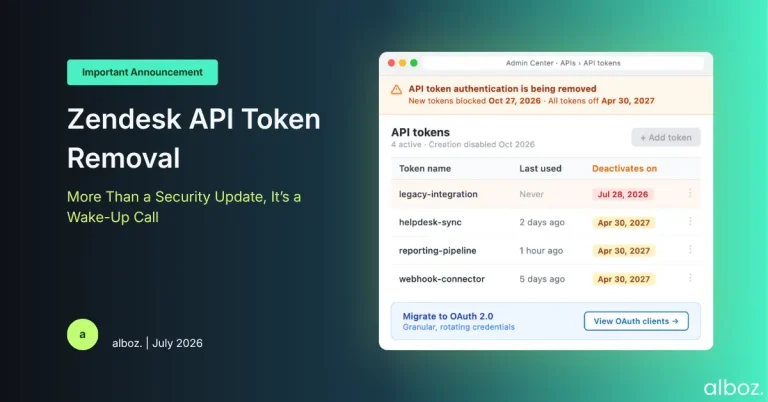
What We Think: Zendesk is sunsetting basic authentication using passwords and API tokens in favour of the more secure OAuth protocol. While this is a fantastic and necessary move for security, it presents a significant risk for organisations with older or custom-built integrations. This is not an optional update; if you ignore this, your connected systems will fail. Our take is that this is a positive step forward, but the migration requires immediate attention to avoid a major operational headache down the line.
The Reality Check: What’s Actually Changing?
Let’s cut through the technical jargon. For years, many apps and scripts have connected to your Zendesk account using a simple method: your email address combined with either your password or a generated API token. The upcoming Zendesk API Token Removal means this method is being permanently switched off. It’s being fully replaced by a modern authentication standard called OAuth.
Think of it this way: The old API token method was like giving a developer a master key to your entire building. It worked for everything, never expired, and if it was compromised, the entire building was at risk. The new OAuth method is like a modern keycard system. You can grant a specific app a keycard that only opens the mailroom, only works between 9 am and 5 pm, and can be deactivated instantly if it’s lost. It’s a fundamentally more secure and controllable way to manage access to your data.
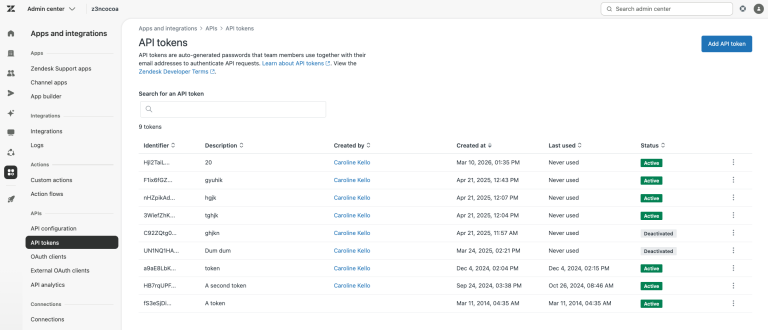
Any system you have—be it a custom-built data warehouse connection, a script that pulls reports, or even a third-party application—that currently uses the `email/token:api_token` format for authentication will stop working. You must update these integrations to use an OAuth connection instead.
Our Expert Opinion: The Hidden Impact on Your CX Operations
This isn’t just a problem for your engineering team to solve in a vacuum. The Zendesk API Token Removal is a critical issue for Customer Experience and Operations leaders because the tools that break could be the very ones your team depends on daily. We’re talking about the custom scripts that sync customer data, the dashboard that visualises ticket trends, or the integration that connects Zendesk to your internal billing system. The biggest risk isn’t the technical work of migrating; it’s the discovery of all the forgotten, undocumented places where these legacy tokens are being used.
We see this as a forced, but ultimately beneficial, audit of your technical debt. It’s an opportunity to ask important questions:
- What systems are connected to our Zendesk instance?
- Who built them and who supports them now?
- Are these tools still providing business value?
- Can we replace this old custom script with a supported Marketplace app?
The move to OAuth also brings tangible benefits beyond just security. With OAuth, you can grant granular permissions. For example, an application that analyses ticket data doesn’t need permission to delete users. With OAuth scopes, you can ensure it *only* has “read” access to tickets, drastically reducing the potential blast radius if that application’s credentials were ever compromised. This level of control is simply not possible with the old all-or-nothing API tokens.
How We’d Handle the Rollout: A Phased Migration Plan
Panic is not a strategy. Here is what we’re advising our clients to do to manage this transition smoothly and avoid any service interruptions. This structured approach turns a potential crisis into a manageable project.
| Phase | Action Item | Key Consideration | Primary Owner |
|---|---|---|---|
| Phase 1: Audit & Discovery | Identify every single script, app, and integration using API token or password authentication. | Check Zendesk’s API activity logs, review third-party app settings, and interview long-tenured team members about old scripts. | Zendesk Administrator / IT |
| Phase 2: Triage & Prioritise | Categorise all identified integrations by type (Marketplace App, In-House Custom, 3rd-Party Connector) and rank them by business criticality. | Which system breaking would cause the most pain? Start with that one. Some integrations might be obsolete and can be retired instead of migrated. | CX Operations / Product Manager |
| Phase 3: Plan & Communicate | For Marketplace apps, contact the vendor to confirm their OAuth migration plan and timeline. For in-house apps, scope the development work required. | Don’t assume a Marketplace app is compliant. Get written confirmation from the developer. Create a project plan for your internal work. | Project Manager / Developer Lead |
| Phase 4: Migrate & Test | Update one integration at a time, starting with the highest priority. Create a new OAuth Credential in Zendesk and update the application’s configuration. | Always test in a sandbox environment first. Verify that all functionality works as expected with the new OAuth connection before touching production. | Developer / Integration Specialist |
| Phase 5: Deploy & Decommission | Deploy the updated, tested integration to your live production environment. Once confirmed working, deactivate and delete the old API token. | Monitor the application closely after deployment for any errors. Deleting the old key prevents it from being accidentally used again. | Developer / Zendesk Administrator |
While the Zendesk API Token Removal might feel like an unwelcome technical chore, it’s a vital step in securing your customer data and modernising your tech stack. By approaching this proactively with a clear plan, you can not only avoid disruption but also use this as a valuable opportunity to audit, clean up, and improve your entire Zendesk ecosystem. Don’t wait for the first service brownout to discover what’s at risk.
Read more in the original Zendesk announcement.


