
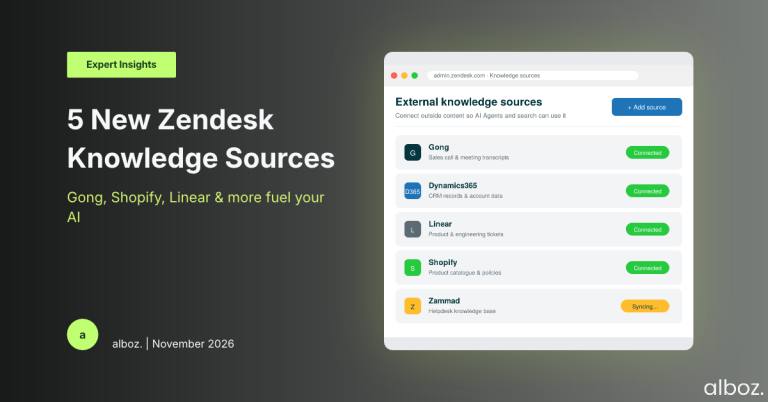
Zendesk is constantly evolving, with new features rolling out at a rapid pace. We’re here to break down the latest updates from late October 2026 and give you our expert take.
Zendesk’s New Knowledge Sources: A Game-Changer for AI, or Just More Connectors?
What We Think: This is a genuinely powerful update. By adding Gong, Dynamics365, Linear, Shopify, and Zammad as native Zendesk knowledge sources, Zendesk is taking a major step towards breaking down information silos. The real winner here is Zendesk’s AI engine. Feeding it high-value data from sales, product development, and e-commerce platforms will make AI Agents and generative search significantly more intelligent and context-aware. Our verdict: this isn’t just about adding more integrations; it’s about fundamentally expanding the ‘brain’ of your customer service operation.
The Reality Check: What’s Actually Changing?
Let’s cut through the jargon. In simple terms, Zendesk can now connect to five new platforms and treat the information within them as part of its own knowledge base. This content can then be used across your Zendesk instance, most notably by your AI-powered tools.
The new connections are:
- Gong: Access insights from your recorded sales calls and meetings.
- Dynamics365: Tap into your CRM data.
- Linear: Pull information directly from your product and engineering team’s project management tool.
- Shopify: Use content from your e-commerce platform, like product details or policies.
- Zammad: Integrate knowledge from another helpdesk system.
Previously, getting this information into Zendesk meant a painful copy-paste job or building a custom integration. Now, you can connect them directly. This content becomes instantly available to your AI Agents for generating replies, your Admin Copilot for internal assistance, and your customers via Help Centre and generative search. It’s about making your existing organisational knowledge work harder for you, without having to duplicate it inside Zendesk Guide.
Our Expert Opinion: The AI Implications Are Huge
While making more content searchable in the Help Centre is a nice-to-have, the real story here is the massive upgrade this provides for Zendesk’s AI capabilities. An AI is only as smart as the data it can access. By limiting its knowledge to just your formal help articles, you’re tying one hand behind its back. This update unties it.
Think about the practical applications. Your AI Agent can now answer questions it never could before:
- A customer asks about a feature that was just released. Instead of waiting for a support agent to write a new help article, the AI Agent can pull the answer directly from the completed development ticket in Linear.
- A sales prospect uses your chatbot to ask a highly specific question about a competitor mentioned on a recent demo call. The AI can reference the call transcript in Gong to provide a nuanced, accurate answer.
- A customer wants to know the return policy for a specific item they’re looking at. The AI can pull the answer directly from the product data in Shopify, rather than a generic policy article.
This is a core principle of the Zendesk AI services we design for our clients: leveraging the full breadth of company knowledge to create truly intelligent, autonomous resolutions. This update makes that vision much easier to achieve. It moves the needle from simple “deflection” to genuine, context-rich “resolution,” which is the holy grail for any support organisation looking to scale effectively.
How We’d Handle the Rollout: A Strategic Checklist
Connecting everything at once is a recipe for confusion. A strategic, phased approach is critical to getting real value from these new Zendesk knowledge sources. Here is what we’re advising our clients to do:
| Phase | Action Items | Our Expert Advice |
|---|---|---|
| 1. Audit & Strategise |
| Don’t boil the ocean. Start with the source that solves the biggest pain point. For most e-commerce clients, that will be Shopify. For B2B SaaS, it might be Gong or Linear. Focus on quality over quantity. A clean, well-maintained source is better than a messy one. |
| 2. Connect & Configure |
| Start in a controlled environment. If you have a sandbox, use it. The goal is to test the connection and the quality of the ingested content without impacting your live customer experience. If you need help with this, your alboz. Solution Consultant can guide you through the process. |
| 3. Test & Refine |
| This is the most critical step. Treat your external content as part of your official knowledge base. It needs to be curated and maintained. This loop of testing and refining is what separates a successful AI implementation from a frustrating one. |
| 4. Go Live & Monitor |
| Your work isn’t done at launch. Keep an eye on performance and gather feedback. Be prepared to tweak configurations or refine source content as you learn how customers interact with the new information. |
This update is more than just five new icons in your admin panel. It’s a fundamental enhancement of Zendesk’s ability to act as the single source of truth for customer-facing knowledge. By expanding the available Zendesk knowledge sources, the platform is making its AI tools substantially smarter and, in turn, your agents more efficient. If you’re using any of these five platforms, we strongly recommend exploring this new capability. If you need a hand with the strategy or technical setup, please reach out to us at alboz.


