
Zendesk is constantly evolving, with new features announced almost every week. Our team of experts is here to cut through the noise. Here’s our take on the latest updates from early November 2026.
Zendesk Widget Customisation: More Control and Cleaner Queues
What We Think: Zendesk’s latest updates to the messaging Web Widget are a significant step forward. The new pre-conversation page is the star of the show, allowing for cleaner agent queues and more purposeful user engagement. While these changes require API know-how to implement, the increased control over layout and compliance messaging is a welcome and overdue enhancement. This is a solid win for businesses looking to refine their digital customer experience.
The Reality Check: What’s Really Changing?
Zendesk has announced a batch of updates focused on giving you more granular control over the look and feel of the messaging Web Widget. This isn’t just about changing colours; it’s about fundamentally altering the user journey. This wave of Zendesk Widget Customisation focuses on five key areas.
Here’s the breakdown in plain English:
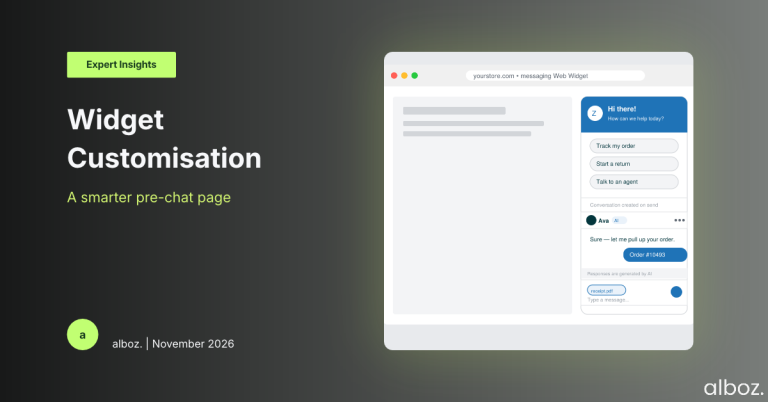
- The Pre-Conversation Page: Think of this as a “welcome mat” for your widget. You can now greet users with a customised title, icon, and suggested prompts before a conversation officially begins. This is a game-changer because a ticket or chat is only created once the user actually sends a message.
- Privacy Notice Placement: You are no longer stuck with the privacy notice at the top of the chat. You can now choose to display it below the composer, which can feel less intrusive to the user.
- AI Disclaimer Placement: Similar to the privacy notice, you can now move the AI disclaimer. Instead of a small badge next to your bot’s name, you can opt for a fixed disclaimer below the composer that stays visible throughout the chat. This is great for transparency and meeting compliance needs.
- “End Conversation” Button Placement: Want to de-clutter the widget header? You can now move the “End conversation” button into the overflow menu (the three-dots icon), making for a cleaner interface.
- Redesigned Composer: This one is automatic and requires no action from you. The composer has a more modern look, and more importantly, it changes how attachments are handled. Users can now type a message and add an attachment before sending everything together. This stops files from being sent instantly and separately from the accompanying text.
A crucial point to note is that while the composer redesign is automatic, all the other layout and behaviour changes are managed via API. This isn’t a simple toggle in the admin settings; you’ll need some development resources to make it happen.
Our Expert Opinion: The Pre-Conversation Page is the Real MVP
While the cosmetic tweaks are nice, our team is most excited about the operational impact of the new pre-conversation page. For years, one of the biggest annoyances for support teams has been the “ghost chat” — a user clicks the widget, a conversation is created, and then they leave without saying anything. This clogs up agent queues, skews reporting data, and creates unnecessary work.
The pre-conversation page solves this elegantly. By only creating a conversation after the user sends their first message, you ensure every interaction in your queue represents a genuine user need. This immediately improves agent efficiency and makes your metrics, like incoming conversation volume, far more accurate.
Beyond clean queues, the ability to add suggested prompts is a powerful tool for guided support. You can steer users towards common queries like “Track my order” or “How do I make a return?”. This not only speeds up the process for the user but also allows you to route these conversations more effectively with your bot flows or triggers. It’s a foundational piece for building a more intentional and efficient support experience, moving the needle on true Zendesk Widget Customisation.
The new placement options for privacy notices and AI disclaimers are also more important than they might seem. For organisations operating under strict compliance frameworks (like GDPR), having explicit control over where and how these notices are displayed is not just a “nice-to-have” — it’s a legal requirement.
How We’d Handle the Rollout: A Phased Approach
Because these changes require technical implementation, we advise a structured approach. You can’t just flip a switch. Here is what we’re advising our clients to do:
| Phase | Key Actions | Expert Tip |
|---|---|---|
| 1. Strategy & Design |
| Keep your suggested prompts action-oriented. “Track my order” is better than “Order status.” |
| 2. Technical Implementation |
| Your developer will need to use JavaScript to call these new API methods on your website where the widget is embedded. |
| 3. Testing & Deployment |
| Ask someone from your support team to test the experience; they’ll spot issues from an agent’s perspective. |
In summary, these updates provide much-needed flexibility for Zendesk Widget Customisation. The shift to API-managed controls signals Zendesk’s commitment to deeper, more technical customisation that power users have been asking for. While the automatic composer redesign is a nice touch for everyone, the real power lies in the pre-conversation page and layout controls. For businesses willing to invest a little development time, these changes can lead to a cleaner, more intentional, and compliant customer experience. If you need a hand navigating the APIs or designing the perfect pre-conversation flow, contact your alboz. Solution Consultant.


