
Zendesk is constantly evolving, rolling out updates and new features that can reshape your customer service operations. We’re here to cut through the noise and give you our expert take, starting with this update from August 4, 2026.
Zendesk Action Connectors Are Here: A Game-Changer for Automation (If You Use Them Right)
What We Think:
Zendesk’s launch of a dedicated Marketplace for Zendesk action connectors is a significant and welcome evolution for the platform’s automation capabilities. By centralising and expanding integration options with over 50 new connectors, Zendesk is making it vastly easier to build powerful, multi-system workflows directly within the native interface. While the initial batch of connectors like Slack and Microsoft Teams are immediate wins, the real long-term power lies in the new MCP Client, which opens the door to nearly limitless custom integrations. Our verdict: This is a fantastic step forward that moves Zendesk closer to being a true central hub for CX operations, but realising its full potential will require a strategic approach.
The Reality Check: What’s Actually Changing?
Let’s cut through the marketing jargon. Zendesk has announced a major update to its Marketplace and workflow tools. At its core, this isn’t just a simple facelift; it’s a fundamental change in how you can connect Zendesk to the other tools you use every day.
Here’s the breakdown in plain English:
- A New “Store” for Your Workflows: The Zendesk Marketplace now has a dedicated section just for Zendesk action connectors. Think of it as a specialised app store for the building blocks of your automations. Before, finding these integrations could be a bit of a treasure hunt. Now, they’re all organised in one place.
- Ready-Made Connections: Zendesk is launching with over 50 connectors for popular apps like Slack and Microsoft Teams. This means you can, for example, create a workflow that automatically posts a message to a specific Slack channel when a high-priority ticket is created, all without complex, custom-coded solutions.
- An Open Door for Partners: The initial release includes connectors built by Zendesk and their partner Sweethawk, but they’ve made it clear that more partners will be adding their own connectors soon. This is great news because it means the ecosystem of available tools will continue to grow, offering more specialised solutions over time.
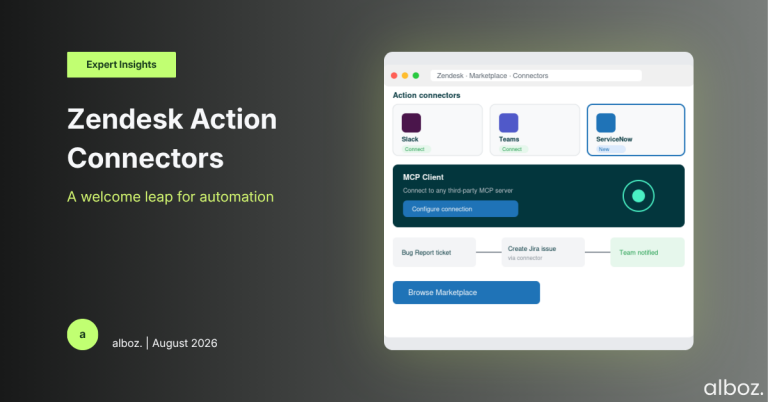
- The Power User’s Tool (MCP Client): The announcement mentions the “MCP Client.” This is the most technical, but arguably the most powerful, part of the update. It’s essentially a bridge that allows Zendesk to connect to any third-party system that has an “MCP Server.” In simple terms, if the app you want to connect to isn’t in the Marketplace, your development team can now use this client to build that connection themselves. This unlocks a huge potential for deep, custom integrations.
Our Expert Opinion: The MCP Client is the Real Headline
While the 50+ new connectors and the refreshed UI are excellent quality-of-life improvements, our team believes the introduction of the MCP Client is the true game-changer here. For years, complex integrations required building custom apps or relying on cumbersome webhooks that could be brittle and hard to maintain. This new client formalises and simplifies that process.
Why does this matter so much? Because no business uses Zendesk in a vacuum. Your support team relies on internal knowledge bases, project management tools, communication platforms, and proprietary backend systems. The MCP Client provides a standardised, Zendesk-supported way to make these external systems first-class citizens within your Zendesk workflows.
Imagine a workflow where creating a “Bug Report” ticket in Zendesk not only notifies the right agent group but also simultaneously uses an MCP-powered action to:
- Create a corresponding issue in Jira with all relevant ticket data.
- Post an alert to a specific engineering channel in Microsoft Teams.
- Update a record in your internal system to flag the affected customer’s account.
This level of seamless, multi-step automation was possible before, but it was significantly more difficult to build and maintain. The MCP Client lowers that barrier, empowering organisations to build the truly bespoke, efficient workflows they’ve always wanted. It’s a strategic move that elevates Zendesk from just a ticketing system to a more powerful, central command centre for customer operations.
How We’d Handle the Rollout: A Phased Approach
Jumping in headfirst can be overwhelming. Here is what we’re advising our clients to do to adopt these new features thoughtfully and effectively. We recommend a phased approach to minimise disruption and maximise value.
| Phase | Key Actions | Goal |
|---|---|---|
| Phase 1: Audit & Explore |
| Understand your needs and the available tools without making any changes yet. |
| Phase 2: Implement Quick Wins |
| Achieve immediate value and build confidence with a low-risk, high-impact automation. |
| Phase 3: Strategic Integration (MCP) |
| Tackle a core business challenge by leveraging the advanced customisation capabilities. |
| Phase 4: Measure & Iterate |
| Ensure the new automations are delivering real, measurable business value. |
In conclusion, this is a powerful and positive update from Zendesk. The new Marketplace for Zendesk action connectors makes automation more accessible for everyone, while the MCP Client provides the deep integration capabilities that advanced teams have been asking for. By taking a measured and strategic approach, you can leverage these new tools to build a more efficient and connected customer support operation.


