Zendesk continues to roll out updates to its platform, with new features and tweaks appearing almost weekly. Here’s our expert take on the latest changes announced in early July 2026.
Don’t Miss a Beat: Zendesk Notification Improvements Finally Address Agent Focus
What We Think:
This is a solid, if not groundbreaking, quality-of-life update that directly tackles agent alert fatigue and the risk of missed messages. The combination of more noticeable cross-tab alerts, the ability to mute notifications for focus time, and a cleaner notification list are small changes that will have a meaningful positive impact on the daily agent experience. Our verdict: A much-needed and well-designed enhancement that helps agents manage their attention more effectively.
The Reality Check: What’s Actually Changing?
Zendesk’s announcement on July 2, 2026, focused on a series of Zendesk notification improvements within the Agent Workspace for messaging channels. Let’s cut through the official language and break down what this means for your team on the ground. For years, a common agent complaint has been missing an important update simply because they were working in a different browser tab or application. These changes are designed to fix that.
Here are the three core updates being rolled out:
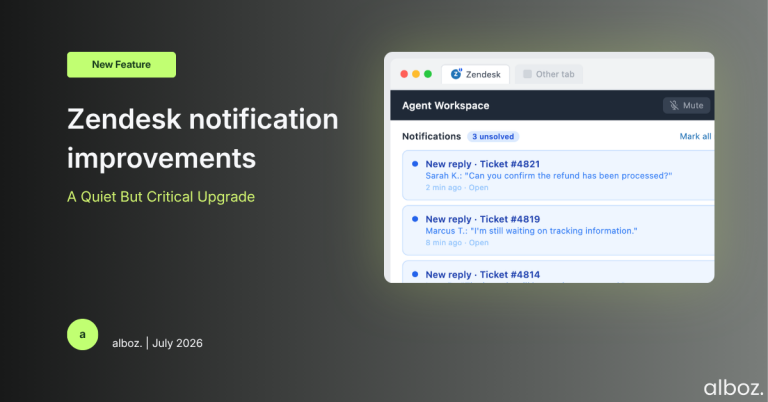
- Better Visual and Audio Alerts: Previously, you’d only get a sound alert if the specific ticket tab was open. Now, agents will get an audio alert for new ticket notifications regardless. More importantly, the Zendesk browser tab itself will show a visual cue—a blue dot and an exclamation mark (!) on the favicon. This means agents can see there’s a new update at a glance, even if they’re not actively in the Zendesk window.
- The “Mute” Button: Agents now have the power to mute all notifications for a set period. This is a crucial feature for when they need to step away or dedicate uninterrupted time to a complex ticket without being distracted by constant pings.
- A Cleaner Notification List: The dropdown notification list will now automatically hide updates for any tickets that have been moved to a “Solved” or “Closed” status. This decluttering exercise helps agents focus only on active, unsolved conversations that require their attention.
The best part? There’s nothing you need to do to enable this. Zendesk is rolling these changes out automatically to all accounts between July 2nd and July 10th, 2026.
Our Expert Opinion: Why This Matters for Your Operations
On the surface, these seem like minor tweaks. But as CX consultants, we know that the agent environment is a delicate ecosystem where small frictions can lead to major inefficiencies and burnout. The real power of these Zendesk notification improvements lies in how they work together to give agents more control over their focus.
The most significant change, in our view, is the introduction of global sound notifications and the dynamic favicon. The old system effectively punished agents for multitasking. If an agent was researching a knowledge base article in another tab or updating a CRM record, they could easily miss a customer’s reply, potentially breaching an SLA. This new system makes notifications persistent and visible without being overly intrusive. The subtle favicon change is a brilliant, low-distraction way to signal that something needs attention.
Pairing this with the mute functionality is a smart move. While more noticeable alerts are great, they can also become overwhelming. Giving agents an explicit tool to say, “I need to focus now,” respects their workflow and empowers them to manage their own productivity. This is essential for tasks that require deep concentration, preventing the constant context-switching that kills efficiency.
Finally, cleaning up the notification list is a simple housekeeping measure that pays dividends. A long list of updates, including those for tickets that are already resolved, is just noise. By filtering for unsolved tickets only, Zendesk helps agents prioritise their work and quickly identify which conversations need immediate follow-up.
How We’d Handle the Rollout: A Communication Checklist
Even though this is an automatic, no-action-required update, we never recommend letting a change like this happen in a vacuum. A proactive communication strategy ensures your team understands the new tools at their disposal and can leverage them from day one. Here is what we’re advising our clients to do.
| Step | Action Item | Our Rationale |
|---|---|---|
| 1. Announce the Change | Send a brief internal communication (email, Slack, Teams) to all agents before the rollout period ends. | Sets expectations. Prevents agents from being surprised by new sounds or visual icons, which could otherwise be confusing. |
| 2. Explain the “Why” | In your announcement, briefly explain that these changes are designed to help them miss fewer updates and better manage their focus. | Drives adoption. When agents understand the benefit to them personally, they’re more likely to embrace the new features. |
| 3. Demonstrate the Features | Include a quick GIF or screenshot showing the new favicon and where to find the “Mute” button in the notification panel. | Reduces the learning curve. A visual guide is much more effective than text alone for showing agents how to use the new tools. |
| 4. Encourage Feedback | A week after the rollout, ask team leads to gather informal feedback. Do agents find the new alerts helpful? Are they using the mute feature? | Closes the loop. This helps you understand the real-world impact and identify if any further guidance or training is needed. |
In summary, while this isn’t a headline-grabbing new product, these Zendesk notification improvements are a thoughtful and welcome enhancement to the Agent Workspace. By giving agents better awareness and more control, Zendesk is helping to create a more focused and less stressful support environment, which ultimately leads to better customer outcomes.