
Zendesk is constantly evolving, rolling out updates and new features on a near-daily basis, with the latest arriving on August 3, 2026. We’re here to cut through the noise and give you our expert take.
Why Zendesk’s Messaging Views Integration is a Game-Changer for Your Agents
What We Think:
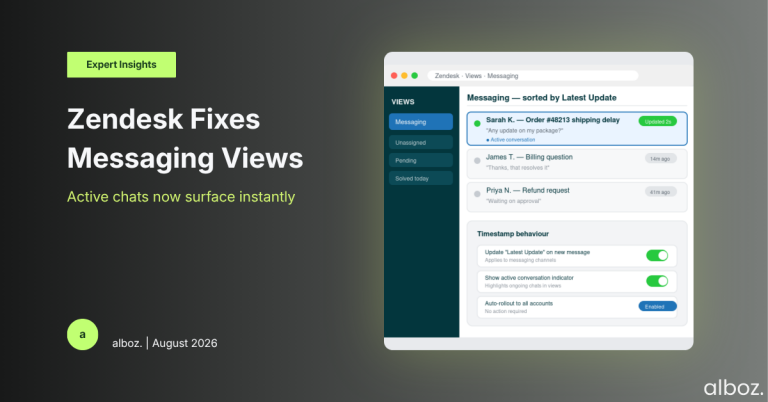
Zendesk has finally addressed a long-standing and critical gap in its messaging functionality. The new Zendesk messaging views integration ensures that active conversations are no longer lost in the shuffle. By reliably updating the ‘Latest Update’ timestamp for new messages, this change dramatically improves workflow reliability and agent efficiency. This is a foundational fix that was desperately needed, especially for teams handling messaging at scale. It moves views closer to being the true omnichannel queue management tool Zendesk envisions.
The Reality Check: What’s Actually Changing?
Let’s be blunt. For a long time, the way messaging tickets behaved in views was a source of frustration. An agent could be looking at a view sorted by “Latest Update,” and a customer could send a new message, but the ticket wouldn’t move. The timestamp wouldn’t update consistently, meaning active, ongoing conversations could easily get buried under older tickets. This created a real risk of delayed responses and a clunky agent experience.
This announcement fixes that core problem. From now on, any new message from a customer will reliably trigger an update to the ticket’s “Latest Update” timestamp. This means tickets with fresh replies will correctly rise to the top of your queues when sorted by recency. Simple, right? But the impact is huge. Additionally, Zendesk is introducing a new visual “active conversation indicator” to help agents spot these tickets even faster within their views.
Our Expert Opinion: More Than Just a Bug Fix
On the surface, this looks like a simple quality-of-life update. But when we read between the lines of the announcement, we see a much more strategic move from Zendesk. The announcement states this change “supports the broader strategy of using the views backend to power Agent Home in the future.”
This is the key insight. Zendesk is clearly working to consolidate its agent-facing tools and create a single, unified experience. By shoring up the functionality of views to properly handle modern, asynchronous channels like messaging, they are laying the groundwork for a more powerful and reliable Agent Home. This “reduces duplication between experiences” and lowers their own maintenance overhead, but for us as users, it means we can have more confidence in Views as the central hub for all omnichannel work.
For any of our clients handling support at scale, this is a massive win for workflow integrity. The risk of an agent missing a customer’s reply because the ticket didn’t surface correctly is significantly reduced. This isn’t just about agent convenience; it’s about operational reliability and delivering a consistent customer experience. The proper functioning of Zendesk messaging views is critical to any modern support operation.
How We’d Handle the Rollout: An Action Plan
Zendesk states that “No action is required” as the change will roll out to all accounts automatically. While there’s no technical setup, we believe proactive management is always the best approach. A change in system behaviour, even a positive one, needs to be communicated to your team to get the full benefit.
Here is what we’re advising our clients to do:
| Action Item | Our Rationale |
|---|---|
| Communicate the Change to Your Team | Brief your agents on what’s changing and why. Explain that they can now fully trust the “Latest Update” sort order for messaging tickets and show them what the new “active conversation indicator” looks like. |
| Review Existing Messaging Views | Take a look at any views you’ve built specifically for messaging. You may have created workarounds to deal with the old, unreliable timestamp behaviour. These can now likely be simplified or removed. |
| Reinforce Prioritisation Workflows | Use this as an opportunity to retrain agents on how to prioritise their work. With more reliable data surfacing, you can reinforce the importance of handling the most recently updated tickets first to keep conversations flowing. |
| Update Internal Documentation | Ensure your internal knowledge base or training materials for new agents are updated to reflect this new, more reliable behaviour. This prevents confusion for new hires learning the system. |
A Foundational Improvement
In conclusion, while this announcement might not have the flash of a brand-new feature, it’s a fundamentally important update. It fixes a critical workflow issue, enhances agent efficiency, and demonstrates Zendesk’s commitment to building a robust, truly omnichannel platform. This is a welcome and long-overdue improvement that will benefit any team using Zendesk Messaging.


