
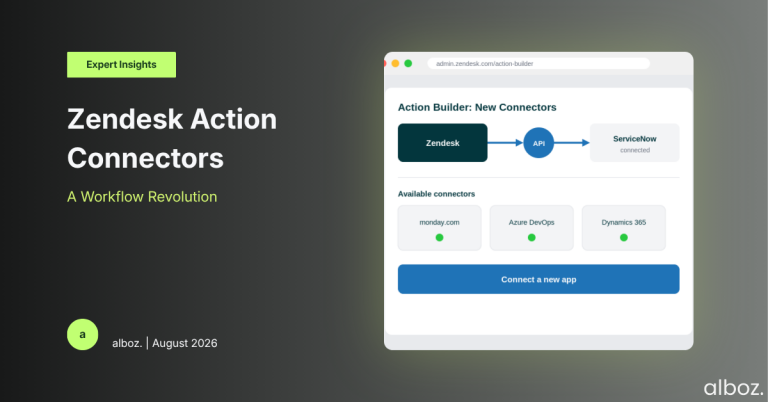
Zendesk is constantly evolving, rolling out updates and new features that can transform your customer service operations. Keeping up can be a challenge, but we’re here to provide the expert opinion you need. Here’s our take on the latest from July 2026.
Zendesk Action Connectors: This Isn’t Just an Update, It’s a Workflow Revolution
What We Think:
Zendesk’s release of ten new Zendesk Action Connectors is a genuinely significant step forward. While new integrations are always welcome, this batch targets major players across ITSM, CRM, project management, and HR. Our take is that this release massively broadens Zendesk’s power as a central orchestrator of cross-departmental work, reducing the reliance on custom code or third-party middleware for common, high-value workflows. This is less about adding logos and more about embedding Zendesk deeper into the core business processes of modern organisations. For businesses using any of these ten platforms, this is a fantastic opportunity to streamline operations and break down communication silos.
The Reality Check: Cutting Through the Jargon
So, what exactly has changed? Zendesk has announced ten new “action builder connectors”. Before your eyes glaze over, let’s break that down. Think of Zendesk’s “Action Flows” as its built-in automation engine. It lets you create workflows that trigger automatically based on events, like a ticket being updated. The “Action Builder” is where you create the specific steps, or “actions,” within those flows.
Until now, the ability for these actions to interact with other major business systems was somewhat limited without custom development. These new connectors are essentially pre-built bridges that allow Zendesk’s Action Builder to “talk” directly to other platforms. This means you can automate tasks that span across different departments and their preferred tools, right from within Zendesk.
The ten new platforms joining the ecosystem are:
- ITSM: ServiceNow
- Project Management: monday.com, Microsoft Planner, Azure DevOps
- CRM & ERP: Microsoft Dynamics 365 Sales, Dynamics 365 Business Central
- HR: HiBob
- Marketing: Iterable
- Data & Analytics: New Relic, Snowflake
In simple terms, you can now build automations like: “When a customer ticket is tagged as a ‘critical bug’, automatically create an issue in Azure DevOps and link it to the ticket.” No more manual copy-pasting for your agents.
Our Expert Opinion: The Real-World Impact
This is where things get exciting. While all ten connectors are valuable, we see a few as genuine game-changers for the organisations we work with. The real power here isn’t just about saving a few clicks; it’s about creating seamless, error-proof processes that improve both agent and customer experiences.
Let’s focus on the ServiceNow connector. For years, one of the biggest operational headaches for large companies has been the divide between the customer support team (often in Zendesk) and the IT service management team (often in ServiceNow). When a customer issue requires IT intervention, it typically involves a messy, manual handoff. Agents have to switch systems, copy-paste information, and then constantly check for updates. This new connector has the potential to completely eliminate that friction. You can now build flows that automatically create, update, and synchronise incidents between the two platforms. This means faster resolution times for customers and a single source of truth for complex, cross-functional issues.
Similarly, the connectors for Microsoft Dynamics 365 Sales and Business Central are a massive win for aligning sales, finance, and support. Imagine an agent being able to trigger the creation of a new invoice in Business Central directly from a ticket, or syncing customer contact details from Dynamics 365 Sales to ensure the support team always has the latest information. This reduces manual data entry, which is a major source of errors, and gives support agents more context to solve problems effectively.
Finally, the trio of project management connectors—monday.com, Microsoft Planner, and Azure DevOps—directly addresses the common workflow of escalating support tickets to engineering or development teams. Automating the creation of tasks or user stories based on ticket properties ensures nothing gets lost in translation. It provides a clean, auditable trail from the initial customer report to the final engineering fix, which is invaluable for tracking bugs and feature requests.
How We’d Handle the Rollout: A Strategic Checklist
Rolling out new automation capabilities requires a thoughtful approach. You don’t want to automate chaos. Here is what we’re advising our clients to do to implement these new Zendesk Action Connectors effectively.
| Phase | Key Action | Why It Matters | Success Metric |
|---|---|---|---|
| 1. Audit & Prioritise | Identify the top 3-5 most frequent, time-consuming, and error-prone manual workflows between Zendesk and one of the new connector platforms. | Focus your efforts on where you’ll get the biggest return. Don’t try to boil the ocean. | A prioritised list of automation opportunities with estimated time savings. |
| 2. Pilot Program | Select one high-impact, relatively simple workflow from your list. A good candidate is creating an Azure DevOps task from a Zendesk ticket. | Prove the value and work out any kinks in a controlled environment before a wider rollout. | A successfully automated workflow for a small team or ticket type. |
| 3. Build & Test | Use the Action Builder to configure the new connector and create the action flow. Test it rigorously in your Zendesk Sandbox. | Ensures the automation works as expected and doesn’t have unintended consequences on your data or processes. | The action flow functions correctly in the sandbox across multiple test cases. |
| 4. Train & Deploy | Create simple documentation for your agents. Explain what the automation does and how their process will change (e.g., “Now, just add the ‘bug’ tag and a task will be created automatically”). | Proper change management is key to adoption. If agents don’t understand the new process, they won’t follow it. | Agent adoption of the new workflow and positive feedback. |
| 5. Monitor & Iterate | Track the metrics you aimed to improve (e.g., time-to-escalate, resolution time). Gather feedback and look for ways to enhance the flow. Then, move to the next item on your priority list. | Automation is not a “set it and forget it” task. Continuous improvement will maximise the value. | Measurable improvement in KPIs and a roadmap for the next automation project. |
In conclusion, this update is a powerful expansion of Zendesk’s native capabilities. By enabling seamless automation with key business systems, these new connectors empower support teams to work more efficiently and deliver faster, more connected service without leaving their primary workspace.


