
Master webhooks to ensure stability.
Webhooks are the powerful engine for integrating Zendesk with external systems, but misconfigurations can lead to dropped data and unreliable workflows. As a Zendesk Admin, are you sure your webhooks are robust?
Here are four essential tips for building and maintaining rock-solid webhooks:
1. Know Your Time Limit: 10 Seconds is All You Get ⏱️
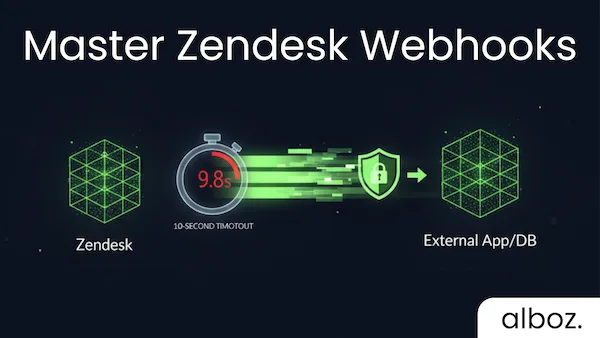
External services must respond quickly. Zendesk webhook requests have a strict 10-second timeout. If your endpoint takes longer, the request will fail and you’ll see a 504 Gateway Timeout in your activity log.
- Actionable Tip: If your downstream system requires heavy processing, have your webhook endpoint immediately return a
200 OKand then process the payload asynchronously to avoid timing out.
2. Guard Against Duplicates: Ensure Idempotency & Use Signatures 🛡️
Zendesk attempts to deliver actions once, but it is possible for a webhook to be invoked multiple times for the same action.
- Actionable Tip: Design your downstream application’s logic to be idempotent, meaning a duplicate request won’t cause unintended side effects.
- Security Tip: Leverage webhook signatures to verify that the request truly originated from your Zendesk instance and to detect duplicate invocations for a single event.
3. Master Webhooks – Monitor the Circuit Breaker Status 🚨
To prevent your Zendesk instance from bombarding a broken external endpoint, a circuit breaker is in place. It will trip and briefly stop sending requests if:
- 70% of a webhook’s requests result in errors within a five-minute period, or…
- The webhook receives more than 1,000 error responses within five minutes.
- Actionable Tip: Regularly check your webhook’s activity log in Admin Center, filtering by a status of
Failed, to spot recurring issues before the circuit breaker trips and pauses your automation.
4. Choose Your Connection Method Wisely ⚙️
There are two main ways to fire a webhook:
- Trigger or Automation: Use this method when the action is based purely on a ticket event (e.g., ticket is solved, priority changes).
- Subscribe to Zendesk Events: Use this for a wider range of activities beyond tickets, such as user, organization, or Help Center activity. This method always uses a
POSTrequest.
You can find comprehensive information on Zendesk webhooks right here on the developer docs page: https://developer.zendesk.com/documentation/webhooks/
Need some examples to help you master webhooks? Check all articles on Zendesk webhook usage here: Webhooks