
Choosing between Zendesk and Jira Service Management feels like comparing apples to oranges. Both are help desk solutions, but they’re built for fundamentally different purposes. One is designed for customer-facing support teams who need to deliver seamless experiences across every channel. The other is built for IT departments that need structured, ITIL-compliant workflows to manage incidents, changes, and assets.
As an Advanced Zendesk Partner, we’ve implemented both platforms (and migrated between them) for clients across industries. This comparison breaks down what each platform does best, where they fall short, and how to decide which one fits your organization.
What is Zendesk?
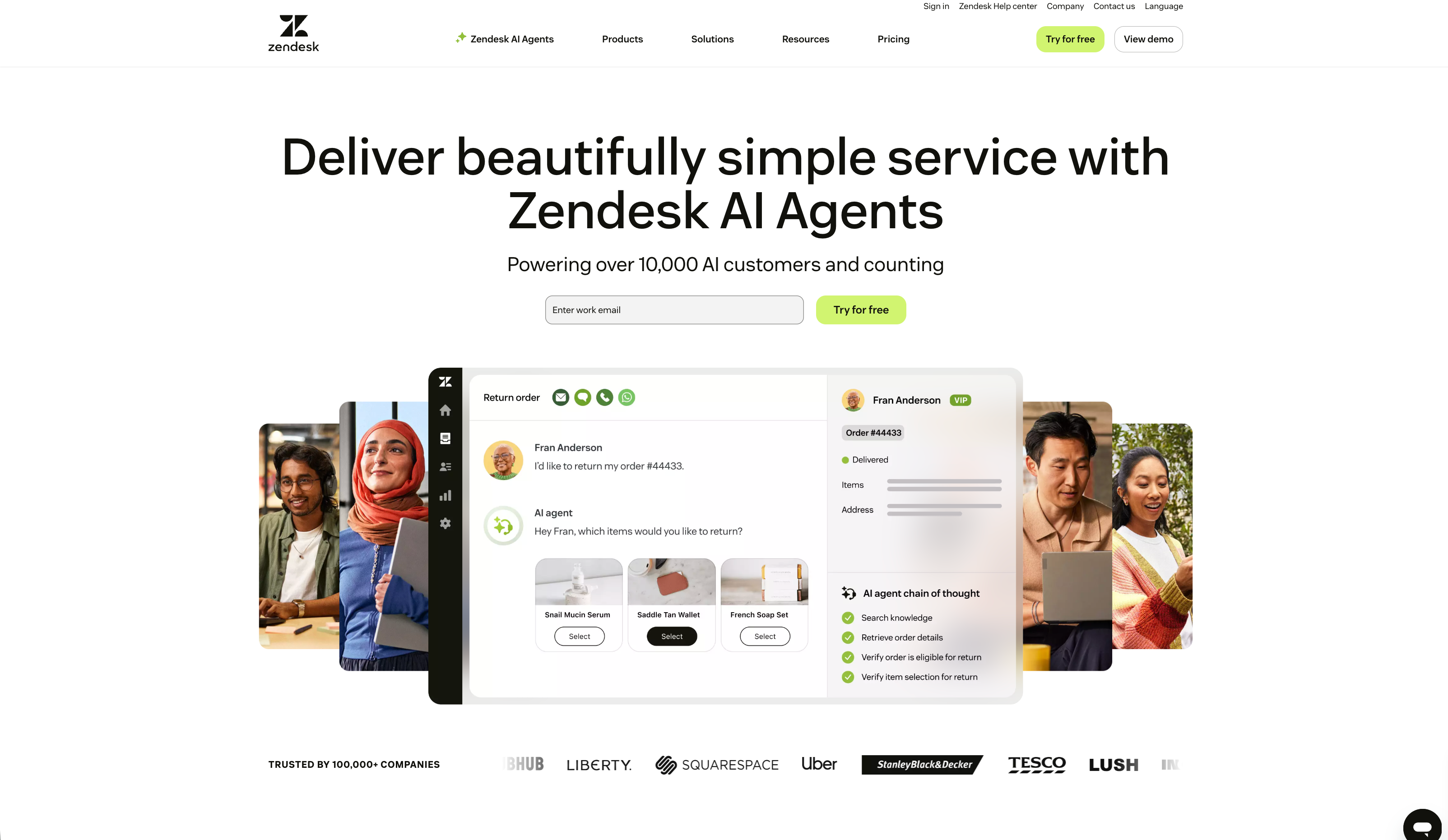
Zendesk is a cloud-based customer service platform built around a simple idea: make customer support feel like a conversation, not a transaction. Founded in 2007, it has evolved from a basic ticketing system into a comprehensive CX platform serving over 100,000 customers including Uber, Siemens, and Lush.
The platform centers on the Agent Workspace, a unified interface where support teams handle interactions across email, messaging, chat, voice, and social channels. Everything ties back to the customer: their history, preferences, and context follow them across every touchpoint.
Zendesk’s product suite includes:
- Zendesk Support: Core ticketing and workflow management
- Zendesk Guide: Self-service knowledge base with AI-powered search
- Zendesk Talk: Native voice support with call routing and IVR
- Zendesk Messaging: Real-time chat and asynchronous messaging
- Zendesk Explore: Analytics and reporting dashboards
The platform excels at high-volume, conversation-based support. Its AI capabilities (Zendesk AI agents, Agent Copilot, and generative replies) are built specifically to enhance customer experience, not just automate tasks.
Zendesk also offers native IT asset management (ITAM) through an Early Access Program, allowing teams to manage IT assets through their lifecycle for employee services. Available on Growth plans and above, it includes predefined asset types (Hardware, Mobile, Desktop, Laptop), custom fields, and the ability to link assets directly to tickets.
What is Jira Service Management?
Jira Service Management (JSM) is Atlassian’s IT service management solution, built on the same foundation as Jira Software. While Zendesk focuses on external customer conversations, JSM is designed for internal service delivery, IT operations, and DevOps workflows.

The platform follows ITIL (Information Technology Infrastructure Library) practices, providing structured processes for:
- Request Management: Standardized intake through customizable portals
- Incident Management: Rapid response to service disruptions
- Problem Management: Root cause analysis and long-term fixes
- Change Management: Controlled deployment processes with risk assessment
- Asset Management: Tracking hardware, software, and configuration items via native CMDB
JSM integrates deeply with the Atlassian ecosystem. If your engineering team already lives in Jira Software and Confluence, JSM slots right in. Developers can link support tickets directly to code commits, pull requests, and deployments without switching contexts.
The tradeoff? JSM’s interface inherits Jira’s complexity. It’s powerful but assumes a certain level of technical fluency. Non-IT teams often find the learning curve steep compared to more consumer-friendly alternatives.
Feature comparison: Zendesk vs Jira Service Management
| Feature | Zendesk | Jira Service Management |
|---|---|---|
| Primary use case | External customer support | Internal IT service management |
| Ticketing model | Conversational, CX-focused | Issue-based, ITIL-aligned |
| Omnichannel support | Native (email, chat, voice, social, messaging) | Limited (email, portal, some integrations) |
| AI capabilities | AI agents, Copilot, generative replies | Virtual agent, AIOps, risk assessment |
| Knowledge base | Integrated Guide with generative search | Confluence integration |
| ITSM/ITIL compliance | Basic capabilities | Full ITIL alignment |
| Asset management | Native ITAM (EAP) for employee services | Native CMDB with Assets module |
| Ease of use | Intuitive, quick onboarding | Technical, steeper learning curve |
| Best for | Customer-facing teams | IT, DevOps, internal support |

Ticketing and request management
Zendesk treats every interaction as part of an ongoing conversation. The Agent Workspace shows complete customer history across channels, so agents always have context. Tickets flow naturally from one status to another, with automation handling routine tasks like routing and escalation.
JSM approaches requests more formally. Each submission becomes a structured issue with custom fields, workflows, and approval gates. This rigor is essential for IT processes (imagine approving a production deployment without proper review), but can feel heavy for simple customer questions.
Knowledge management
Zendesk Guide is built into the platform. Articles live alongside tickets, and AI can suggest relevant content to customers before they even submit a request. The generative search feature lets users ask questions in natural language rather than hunting through categories.
JSM relies on Confluence for knowledge management. This is powerful if you already use Confluence for technical documentation, but it means managing permissions and content across two products. For customer-facing knowledge bases, this separation can create friction.
AI capabilities
Both platforms have invested heavily in AI, but with different focuses.
Zendesk AI is all about the customer experience:
- AI agents handle up to 80% of routine inquiries autonomously (source)
- Agent Copilot suggests replies, summarizes conversations, and adjusts tone
- Intelligent triage routes tickets to the right agent automatically
- Voice capabilities include real-time transcription and sentiment analysis
JSM’s Atlassian Intelligence focuses on IT operations:
- Virtual service agent deflects common IT requests
- AIOps groups related alerts and suggests incident creation
- AI risk assessment scores change requests for potential impact
- Rovo search finds information across Atlassian tools
Reporting and analytics
Zendesk Explore provides out-of-the-box dashboards for common metrics (CSAT, first response time, resolution time) plus the ability to build custom reports. Real-time dashboards show what’s happening right now, while historical reporting reveals trends.
JSM offers basic reporting in lower tiers, with advanced analytics requiring Premium or Enterprise plans. The focus is on ITSM metrics: SLA compliance, incident trends, change success rates. For deeper insights, you’ll need Atlassian Analytics (included in Enterprise) or third-party tools.
Pricing comparison
Zendesk pricing
| Plan | Annual Price | Key Features |
|---|---|---|
| Support Team | $19/agent/month | Email ticketing, basic automations, 1000+ integrations |
| Suite Team | $55/agent/month | AI agents (Essential), messaging, help center, voice |
| Suite Professional | $115/agent/month | Copilot tools, up to 5 help centers, skills-based routing, HIPAA |
| Suite Enterprise | $169/agent/month | Up to 300 help centers, sandbox, custom roles, audit logs |
Add-ons:
- Copilot: $50/agent/month
- Quality Assurance: $35/agent/month
- Workforce Management: $25/agent/month
- Advanced Data Privacy: $50/agent/month
Zendesk does not offer a free tier but does offer a 14-day free trial which is often extendable if you need more time. The Support Team plan is entry-level only in name; most teams quickly need Suite Team for omnichannel capabilities. Zendesk’s native IT asset management is available via EAP on Growth plans and above, supporting up to 10,000 assets with predefined types for hardware, mobile, desktop, and laptop devices.
Jira Service Management pricing
| Plan | Monthly Price | Key Features |
|---|---|---|
| Free | $0 | Up to 3 agents, basic service desk, 2GB storage |
| Standard | $20/agent/month | Up to 20,000 agents, asset management, 250GB storage |
| Premium | $51.42/agent/month | Virtual agent, AIOps, unlimited storage, 99.9% SLA |
| Enterprise | Custom pricing | Advanced analytics, multiple sites, 99.95% SLA |
Usage-based costs:
- Assets objects: 5,000 (Standard), 50,000 (Premium), 500,000 (Enterprise) included; additional at $0.02/object/month
- Virtual agent conversations: 1,000/month included; additional at $0.30/conversation
JSM’s free tier is genuinely useful for small teams, but you’ll hit limits quickly. Asset management and advanced ITSM features require Premium.
Total cost considerations
List price is just the starting point. Factor in:
- Implementation: Zendesk typically deploys faster (weeks vs. months for complex JSM setups)
- Training: JSM’s learning curve means more upfront training investment
- Add-ons: Zendesk’s modular pricing can add up; JSM bundles more but charges for overages
- Integrations: Both platforms have marketplaces, but custom integrations vary in cost
We’ve seen organizations save significantly by choosing the right platform upfront rather than migrating later. Our Zendesk Health Check (€949) can evaluate whether your current setup is delivering value or if a platform change makes sense.
Use case recommendations
Choose Zendesk if:
- Your primary need is external customer-facing support
- Omnichannel experience (voice, chat, social) is critical
- You want AI that enhances customer experience, not just automates tasks
- Your team values ease of use and quick onboarding
- You need integrated voice support without third-party add-ons
- You’re starting from scratch and want to be operational quickly
Zendesk works well for SaaS companies, e-commerce businesses, and any organization where customer satisfaction directly impacts revenue. The platform’s CX focus means every feature is designed to make customers happier and agents more productive.
Choose Jira Service Management if:
- You need ITIL-compliant IT service management
- Your focus is internal IT and employee support
- You work closely with development teams using Jira Software
- Native asset management with CMDB capabilities is essential
- You want a free tier to start small
- You’re already invested in the Atlassian ecosystem
JSM is the clear choice for IT departments, DevOps teams, and organizations with formal service management requirements. The integration with development workflows is unmatched if your engineers live in Jira Software.
The hybrid approach
Here’s something the vendor comparison pages won’t tell you: many organizations use both. Zendesk handles customer-facing support while JSM manages internal IT requests. The two can integrate via the Zendesk for Jira app, allowing support tickets to escalate to engineering as linked Jira issues.
This hybrid model works well for companies with distinct customer support and IT operations teams. Each platform does what it does best, with bidirectional sync keeping everyone aligned.
Making the right choice for your business
The choice between Zendesk and Jira Service Management isn’t about which platform is “better.” It’s about which platform fits your primary use case.
Here’s the short version:
- Customer experience is your priority? Zendesk wins. It’s purpose-built for external support with superior omnichannel capabilities and AI designed for customer satisfaction.
- IT service management is your priority? JSM wins. Its ITIL alignment, enterprise-grade CMDB with unlimited asset scaling, and DevOps integration are hard to beat for internal operations.
- Need both? Consider the hybrid approach or evaluate whether one platform can stretch to cover both use cases (with tradeoffs).
As an Advanced Zendesk Partner, we’ve guided hundreds of organizations through this decision. Sometimes that means implementing Zendesk. Sometimes it means helping a client migrate from Zendesk to JSM (or vice versa) when their needs evolve.
The key is understanding your requirements before committing to a platform. A Zendesk Health Check can reveal whether your current setup is optimized or if you’re leaving value on the table. For organizations considering Zendesk, our implementation services ensure you start with best practices from day one.
In summary? Both platforms are excellent at what they do. The question is: what do you need to do?
Frequently Asked Questions
Can you use Zendesk vs Jira Service Management for both customer support and internal IT?
Technically yes, but neither platform excels at both. Zendesk can handle internal requests but lacks ITIL compliance and asset management. JSM can support external customers but lacks native omnichannel capabilities and CX-focused features. Most organizations that need both choose a hybrid approach or accept tradeoffs.
Which has better AI capabilities in a Zendesk vs Jira Service Management comparison?
It depends on your use case. Zendesk AI is built for customer experience with autonomous AI agents that resolve 80%+ of inquiries and Copilot that assists human agents. JSM’s Atlassian Intelligence focuses on IT operations with AIOps, virtual agents for deflection, and risk assessment for changes. For customer-facing AI, Zendesk leads. For IT operations AI, JSM has the edge.
Is Zendesk vs Jira Service Management more cost-effective for small teams?
JSM offers a free tier for up to 3 agents, making it cheaper to start. However, once you need features like asset management or virtual agents, JSM Premium ($51.42/agent/month) costs nearly as much as Zendesk Suite Professional ($115/agent/month) when you factor in usage-based charges. For teams under 10, JSM is typically cheaper. For larger teams, total cost depends on which features you need.
How long does implementation take when comparing Zendesk vs Jira Service Management?
Zendesk typically deploys in 2-4 weeks for standard configurations. JSM can take 1-3 months depending on workflow complexity and ITIL process requirements. The difference comes down to JSM’s deeper customization options and the time needed to configure ITSM processes properly.
Can you migrate between Zendesk vs Jira Service Management easily?
Migration is possible but not trivial. Both platforms offer data export/import capabilities, but workflows, automations, and integrations need to be rebuilt. Organizations often underestimate the effort required. Working with an implementation partner (like alboz) can reduce migration risk and ensure critical data transfers correctly.
Which platform integrates better with development tools in a Zendesk vs Jira Service Management evaluation?
JSM has the clear advantage here due to native integration with Jira Software, Bitbucket, and the broader Atlassian ecosystem. Developers can link support tickets directly to code commits and deployments. Zendesk offers a Jira integration app, but it’s not as seamless as JSM’s built-in connectivity.
Does Zendesk offer a free trial?
Yes, Zendesk offers a fully featured 14-day free trial which is often extendable if needed. If you need help getting started alboz. can help you get setup. Contact us here.