
Every month, Zendesk ships new features and enhancements designed to simplify workflows, improve agent productivity, and deepen AI-driven customer insights. Below is a breakdown of the Zendesk October 2025 release with updates, along with practical steps to get started.
Missed our previous round-ups?
- Zendesk’s September 2025 Updates – What’s important for SMBs
- What SMBs Need to Know from Zendesk’s August 2025 Updates
1. Modernized Ticket Settings Page
Ticket settings in Admin Center now have a streamlined layout with expandable sections and new configuration controls.
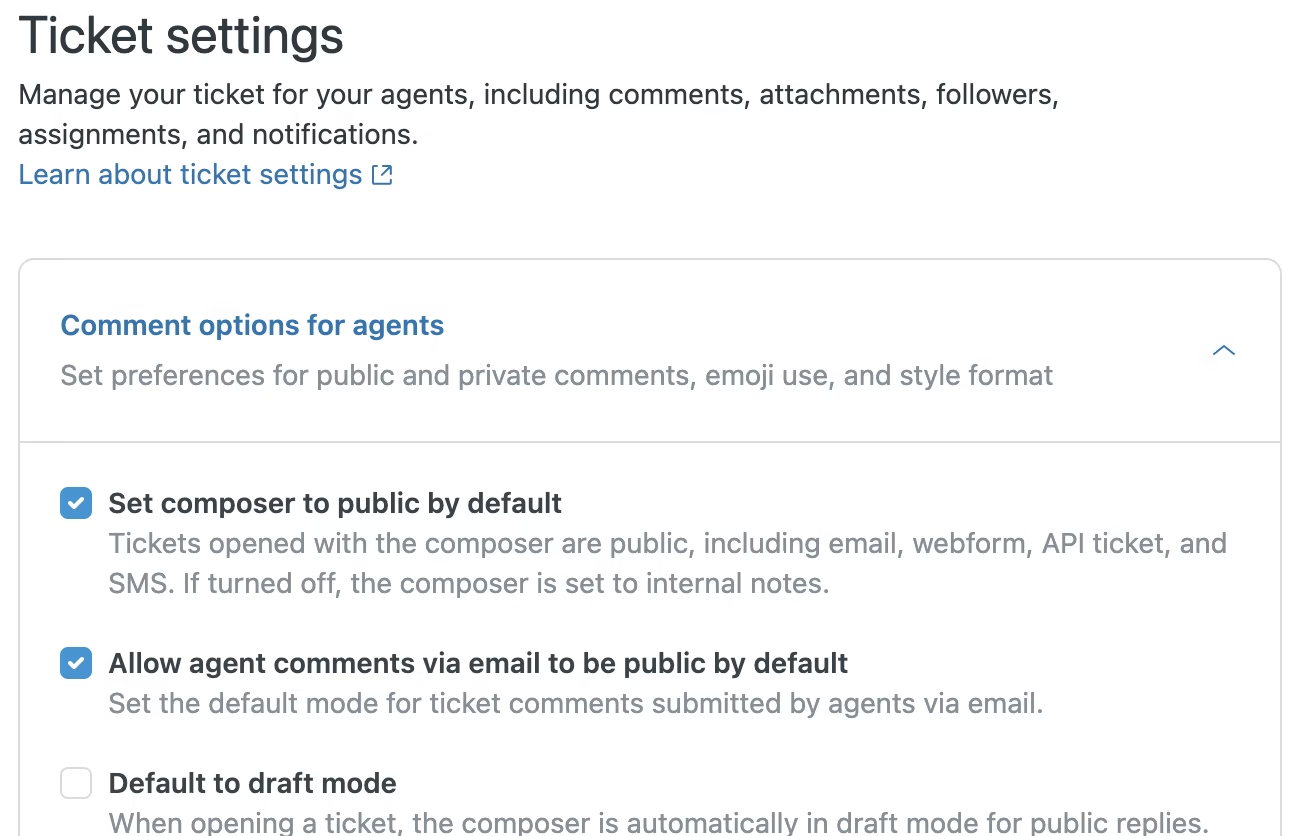
Check it out:
- Go to Admin Center → Objects and rules → Tickets → Settings.
- Review the reorganized sections and expand each to adjust preferences.
- Apply new controls (like status settings and workflow toggles) as needed.
2. Auto Assist Performance Metrics (Requires Copilot)
The Knowledge admin Procedures page now shows how often auto assist follows your procedures and the benefits for agents.
- Go to Admin Center → Knowledge → Procedures.
- Review the performance metrics column.
- Use insights to refine procedure design and improve agent adoption.
3. Enhanced Side Conversation Settings
Admins now have more granular control over side conversations, including autocomplete restrictions, Teams subdomain detection, and signature handling.
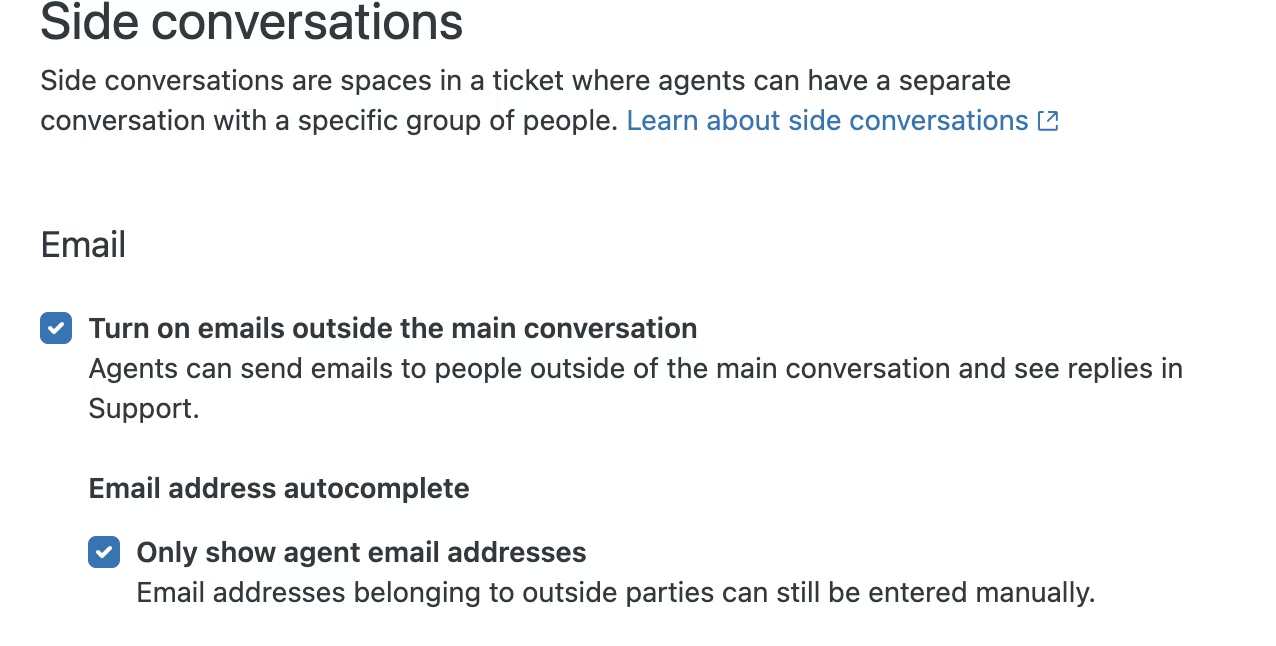
- Go to Admin Center → Objects and rules → Tickets → Side conversations.
- Configure:
- Only show agent email addresses.
- Allow dynamic subdomain detection.
- Use signatures in side conversations.
- Save changes.
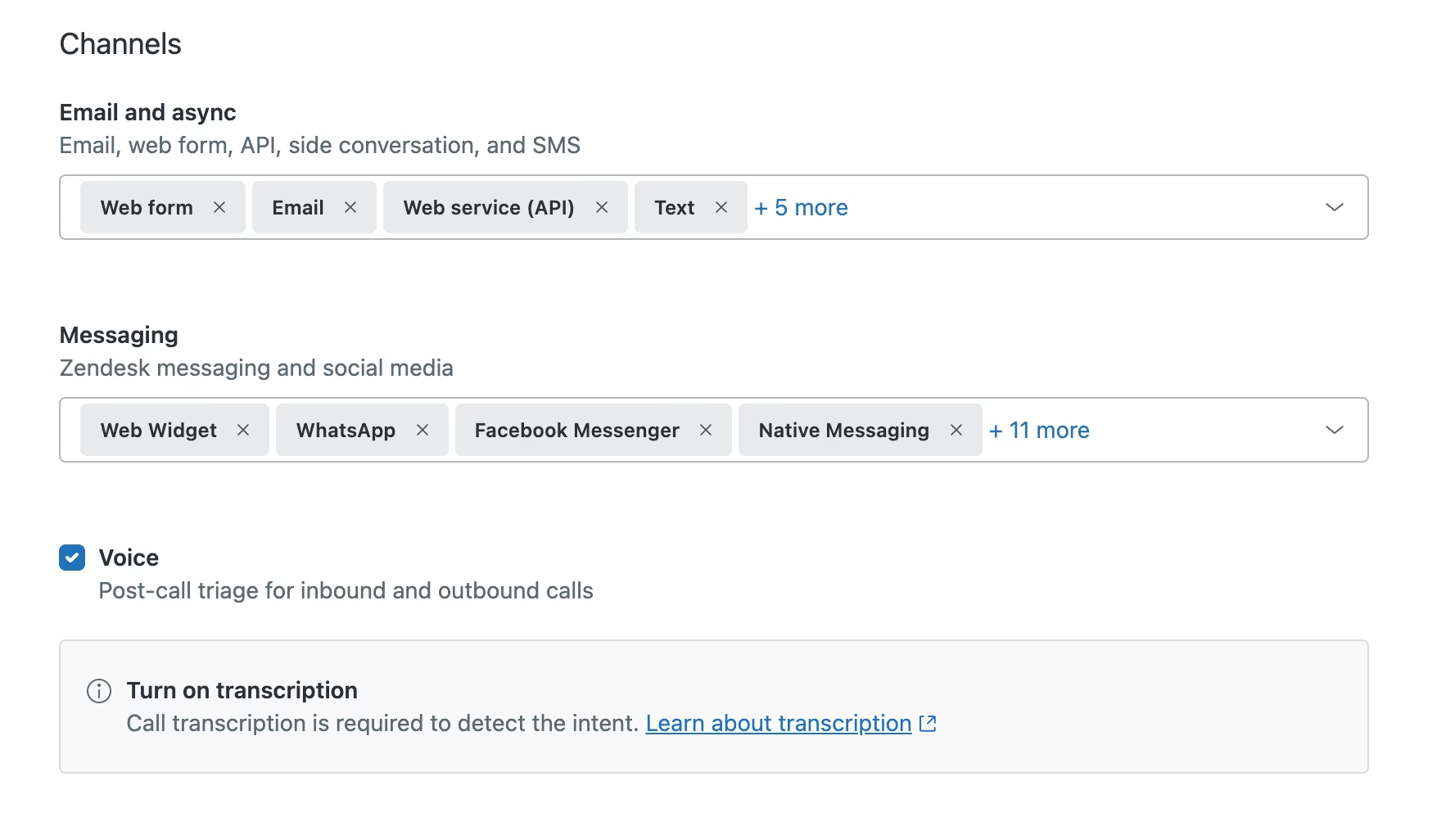
4. Intelligent Triage for Voice (Requires Zendesk Copilot AI)
Calls now benefit from structured insights (intent, sentiment, language) to power reporting and automation.

- Enable Intelligent triage in Admin Center.
- Check update intent based on the latest interaction.
- Under Channels, select the Voice checkbox.
5. Ticket Summaries in a Field (Requires Copilot)
Zendesk Copilot AI ticket summaries are stored in a new field for use in views, reports, placeholders, and the API. Enable AI-generated ticket summaries to quickly recap public comments on a ticket, helping you respond faster. Summaries exclude internal notes and side conversations and are stored as ticket fields.
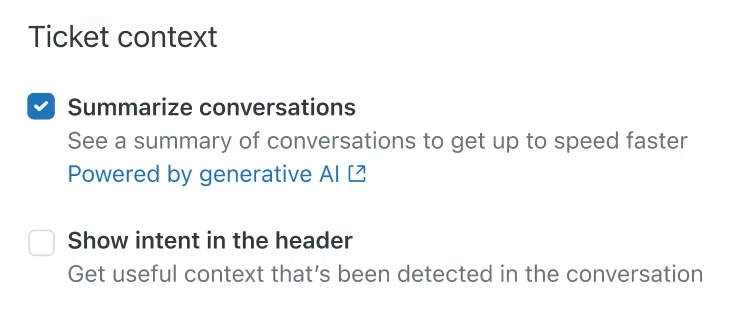
- In Admin Center > AI > Agent copilot > Translations
- Under Ticket context, select Summarize conversations.
- Now use it as a placeholder in forms, views, reports or via the API.
6. Brand Membership Enhancements
Admins can now manage brand memberships directly from the agent profile. Assign all brands to new team members by default to reduce admin overhead.
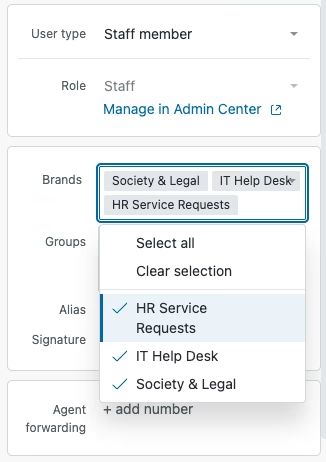
Here’s how…
- In the Agent Workspace, click the search bar and start typing the agents name. Click it when found.
- Adjust brand memberships directly.
- For defaults, set in Brand membership settings.
7. Restricting Agent Access on Their Own Tickets
This feature gives admins tighter control over privacy when an agent submits a ticket themselves (for example, asking IT for help).
If your account hides internal notes and agent-only fields from agents, then those agents won’t be able to see tickets they’ve created in Support. Instead, they’ll only be able to view those tickets the same way a normal end-user would: via email updates or the Help Center portal.
👉 The purpose: to prevent agents from seeing private internal conversations on tickets they’ve personally raised, while still allowing them to follow progress like any other requester.
Read more about here on Zendesk’s site.
8. New Permission: Create/Edit End Users
Admins can now separate the ability to create and edit end users from the ability to delete them.
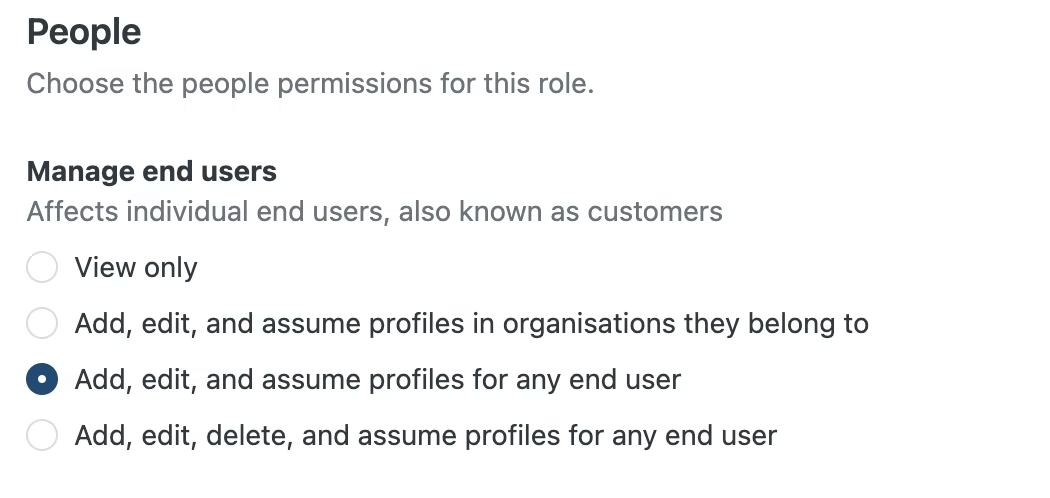
Agents with this permission can add new users and update details (like names, emails, phone numbers). But they cannot delete end users, which protects your system from accidental or unauthorized removals. The benefit: stronger security and more control over what different agent roles are allowed to do.
Check it out in Admin > People > Roles (Enterprise only)
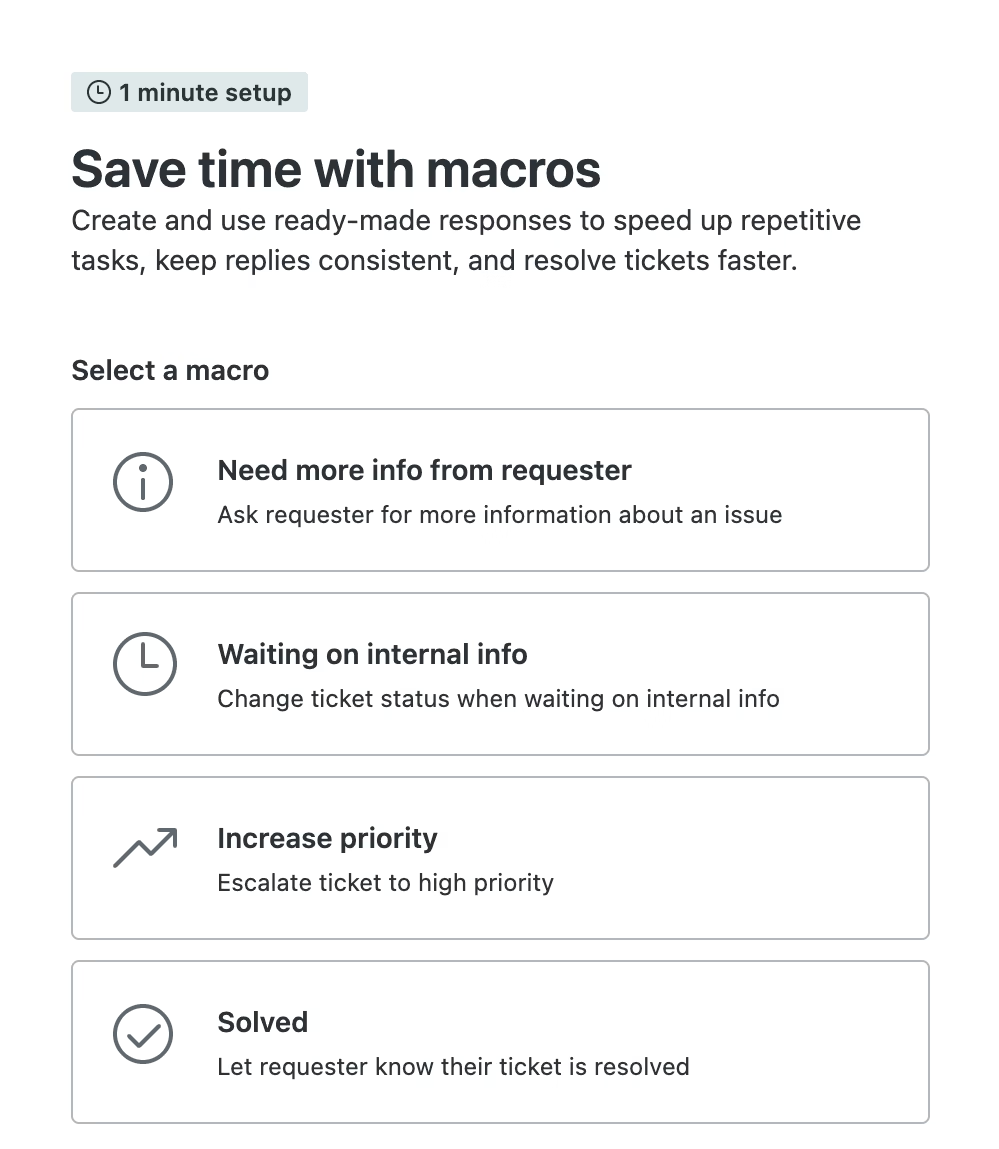
9. Macro Setup Wizard for Suite Trials
Trial customers now get a guided wizard to quickly start using macros. The wizard shows example macros you can activate right away. These help agents solve tickets faster and avoid repetitive work. Admins can also use it as a starting point to build their own macros.
10. AI Agents – Email Instructions
Following hot on the heels of Zendesk’s recent announcement that AI Quick Answers are now available for all plans, Admins can now give specific instructions to AI agents. It applies to all plans.
Go beyond just setting a persona. Tell the AI how to respond in different scenarios. Choose whether the instruction applies to messaging or email.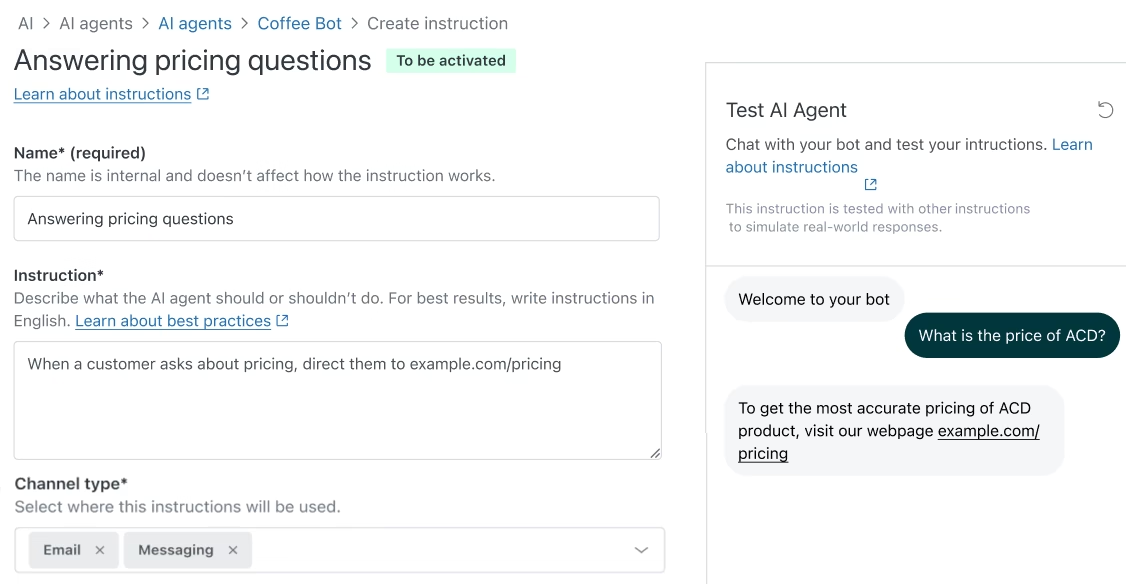
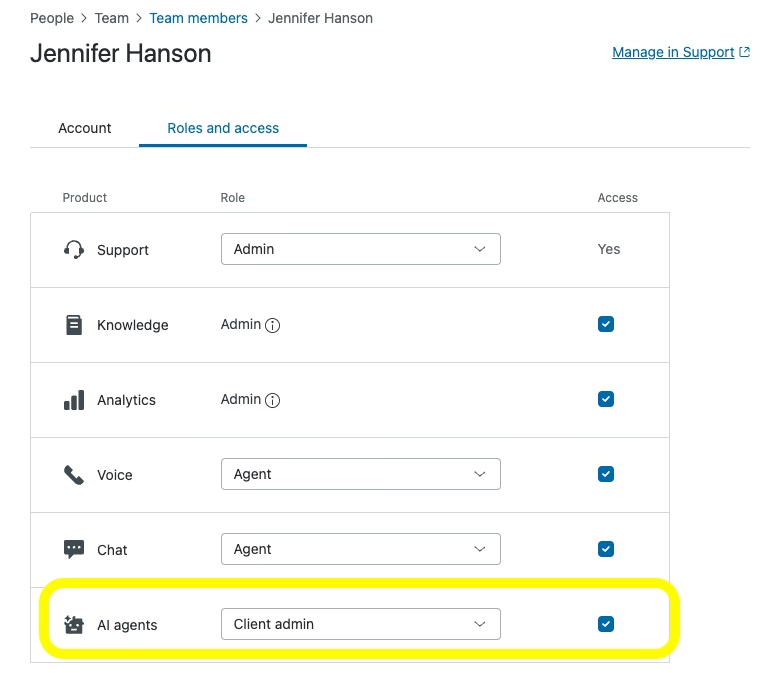
11. AI Agents – Advanced Permissions Made Easier (Advanced)
- Access the Advanced AI Agents add-on directly from the Zendesk product tray.
- Manage user permissions centrally in Admin Center instead of inside the add-on.
👉 The benefit: simpler navigation and cleaner permission management.
12. AI Agents – Landing Page
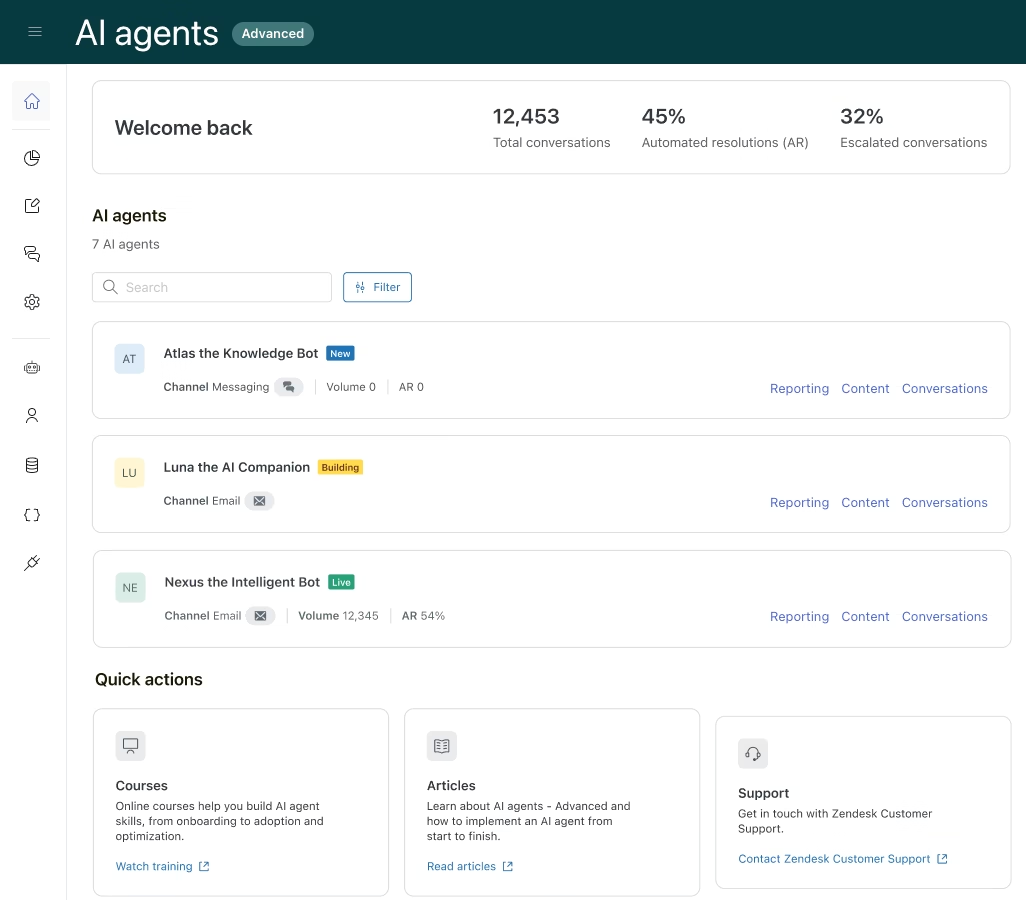
A new default landing page is available in AI Agents (Advanced). Shows overall performance metrics at a glance and provides quick links to key actions and resources. Also, makes it easier to build, launch, and monitor advanced AI agents.
13. Zendesk Custom Objects: Admins now have more granular control over custom object records
- Set who can view, add, update, or delete records.
- Apply access rules individually for each role and permission.
- If no rule is applied, the role has access to all records for that action.
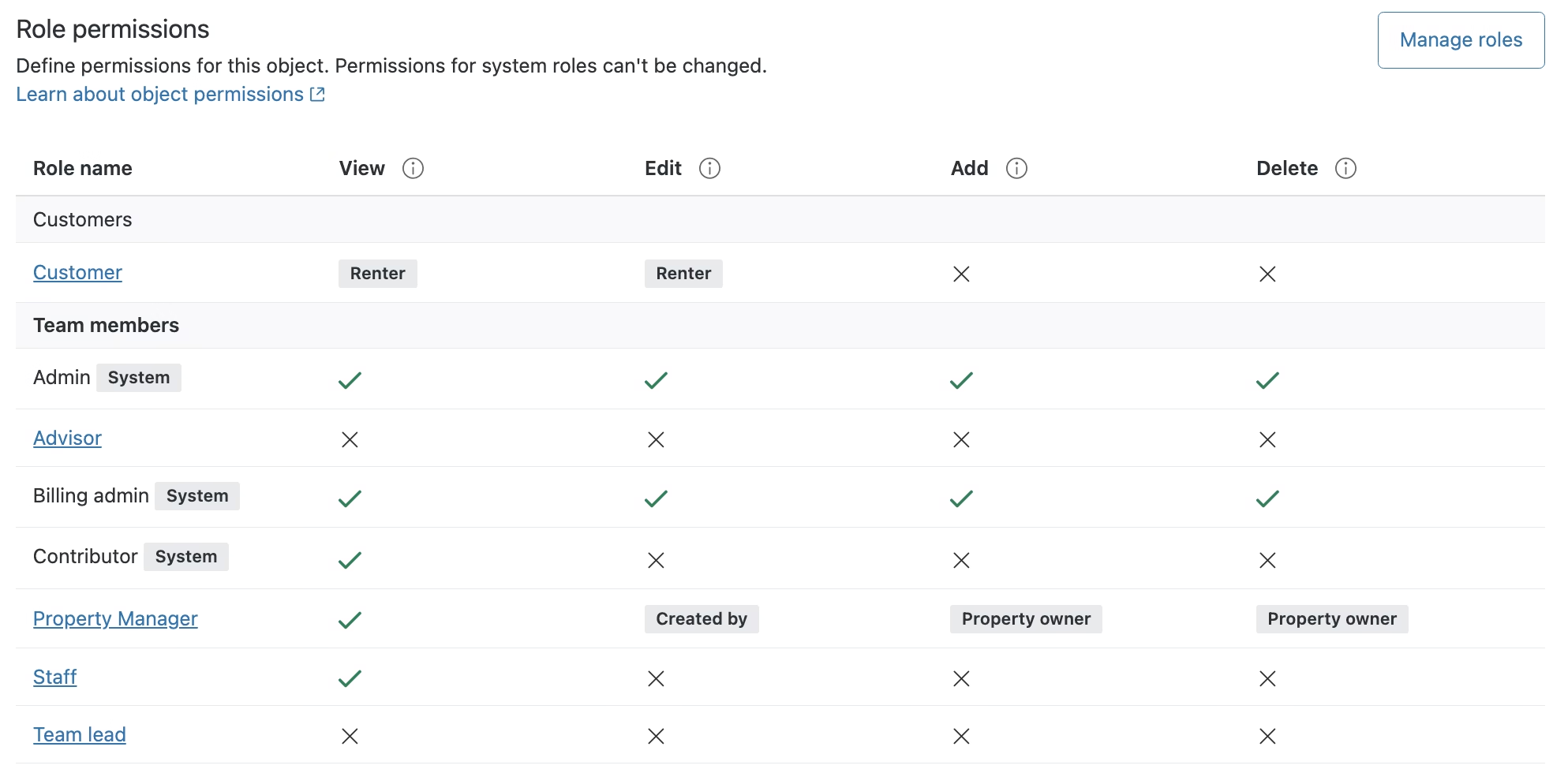
👉 The benefit: tighter control over data access and better security for custom objects.
14. Public Attachment Security
Admins can now set an expiration period for public attachments.
- Files stay public for a set time.
- After that, they become private and require authentication.
👉 The benefit: stronger security and better control over shared attachments.
Read more about implementing it here.
15. Help Center + Multibrand: Request Visibility
For accounts with multiple brands, admins can now control how users see their support requests:
- One brand (default): Users only see tickets from the brand they’re logged into.
- All brands: Users see all their requests across every brand in one place.
👉 The benefit: more flexible control over the customer experience in multi-brand setups.
That’s a wrap!
✅ That’s a wrap on the October 2025 Zendesk Release!
This month’s updates continue to push CX forward — from smarter AI and streamlined ticketing to tighter security and better admin control.
👉 Ready to put these features to work in your organisation? Let’s chat about tailoring them to your support setup: Book a call today↗