

Every month, Zendesk ships new features and enhancements designed to simplify workflows, improve agent productivity, and deepen AI-driven customer insights. Below is a breakdown of the Zendesk March 2026 release with updates, along with practical steps to get started.
Missed our previous round-ups?
- ❤️ Zendesk February 2026 Release: 8 Features We Love
- ❄️ Zendesk January 2026 Release: Key Features & How to Use Them
- 🚀 Zendesk December 2025 Release: Key Features & How to Use Them
1. Professional Polish: Spelling and Grammar Checker
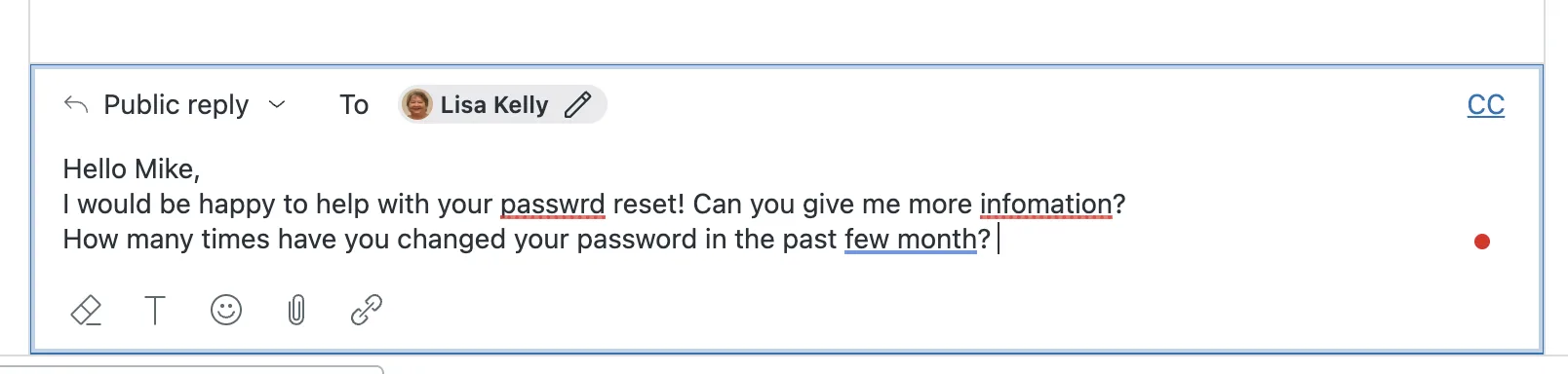
Maintaining a professional tone is easier than ever. The ticket composer now includes a built-in spelling and grammar checker that flags potential errors and offers suggestions directly in agent replies. Agents can even customize their dictionaries to include industry-specific terminology.
Requires Add-On? No, this is a standard feature that can be activated or deactivated for the entire account by an administrator.
How to Implement:
- As an administrator, navigate to Admin Center.
- Go to Objects and rules > Tickets > Settings.
- Locate the toggle for Spelling and grammar check and turn it on.
- Once active, agents will see red underlines for errors in the composer and can click them for suggested corrections.
2. Try Before You Buy: Capped Copilot Writing Tools
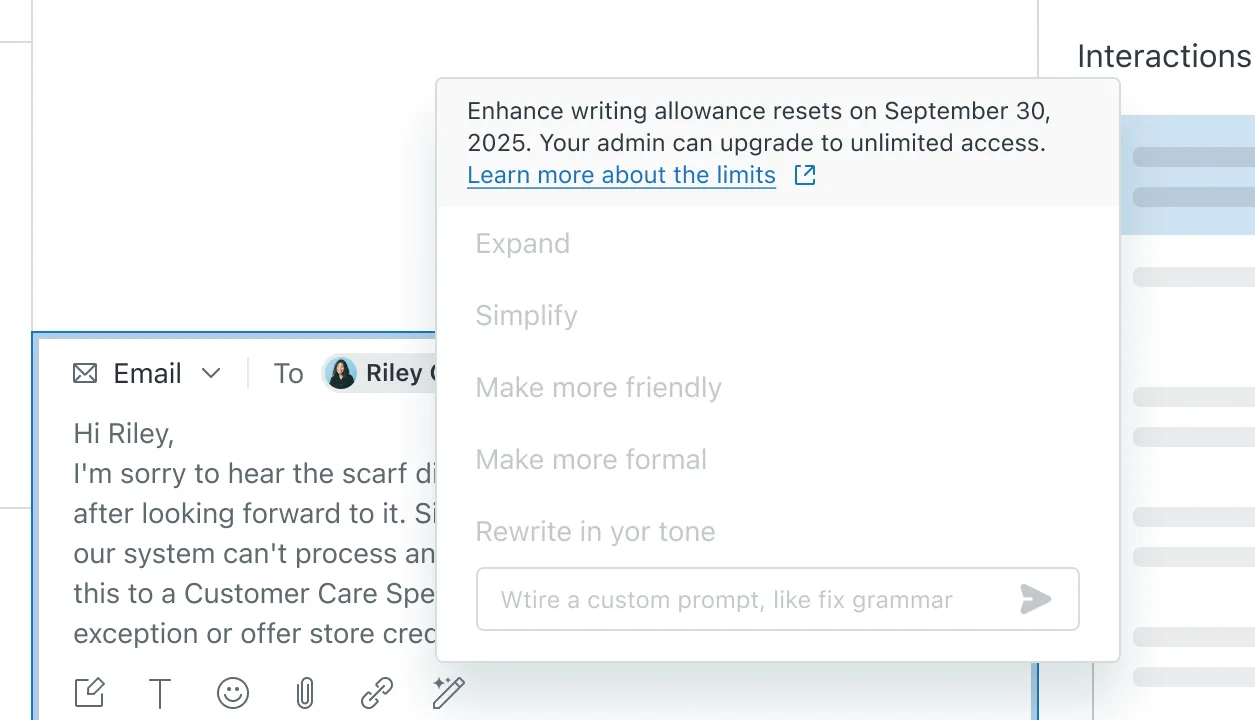
The Zendesk March 2026 release is bringing generative AI to more users. Suite and Support Professional plans (and above) now get access to generative AI writing tools without a full add-on subscription. Each agent receives five uses per month to expand, simplify, or adjust the tone of their ticket comments.
Requires Add-On? No for the capped version (5 uses per agent/month). The full Zendesk Copilot add-on is required for unlimited usage.
How to Implement:
- These tools are automatically available for eligible plans in the Agent Workspace.
- Agents highlight text in the composer and click the AI icon.
- Select from options like Expand, Simplify, or Change tone.
- Admins can monitor pooled usage through a dedicated usage dashboard in the product.
3. Boost Productivity: Pre-Approved Actions for Auto Assist
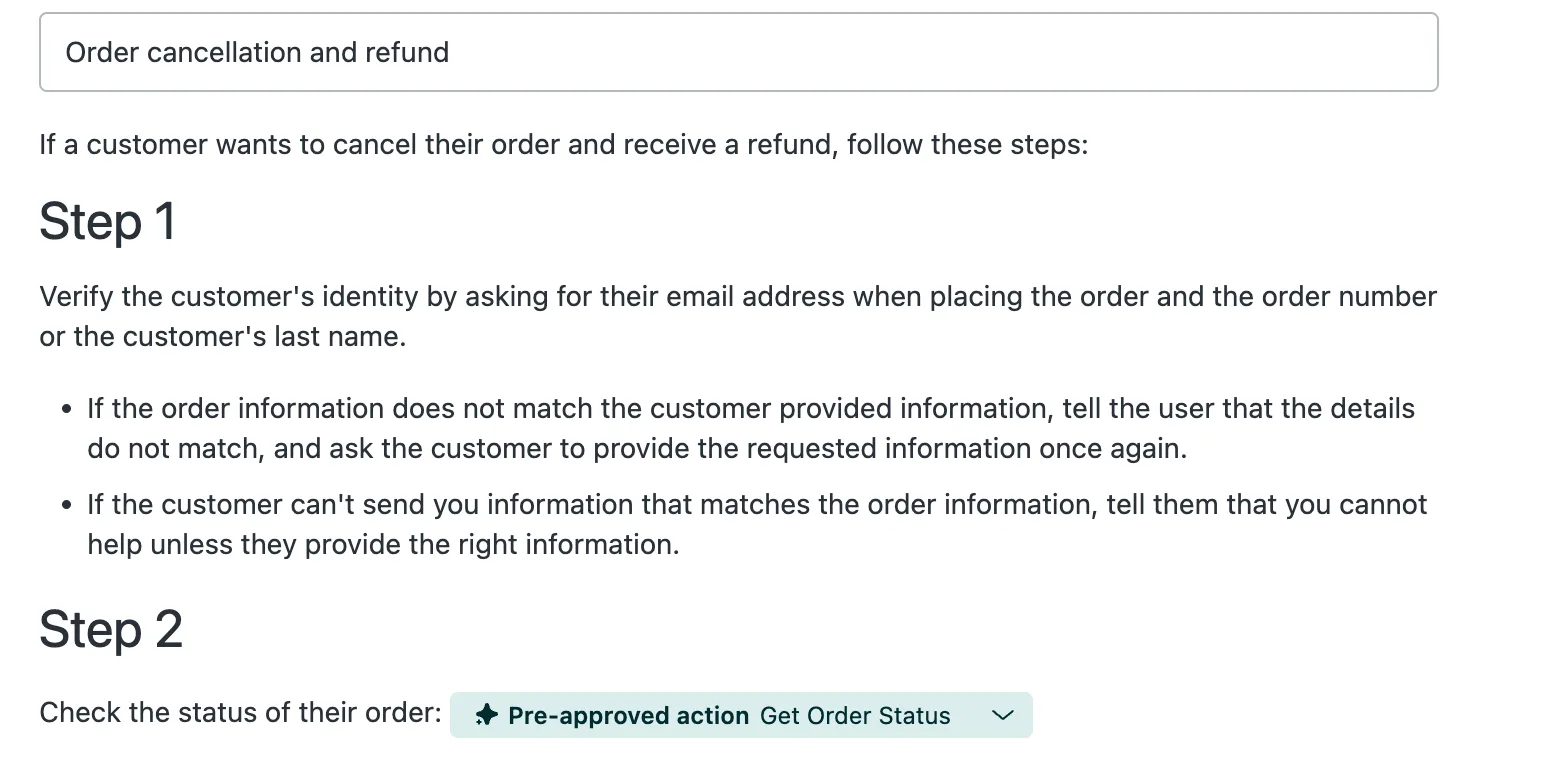
To further automate low-risk tasks, admins can now pre-approve specific custom actions and action flows. This allows the AI to execute these steps automatically without waiting for an agent’s manual approval, significantly increasing resolution speed for routine requests.
Requires Add-On? Yes, this feature requires Zendesk Copilot.
How to Implement:
- Navigate to Admin Center > AI > AI features > Procedures.
- Open an existing procedure used by auto assist.
- Identify the custom actions or flows within the procedure you trust to run autonomously.
- Select the “pre-approve” option for those specific actions.
- Click Save to allow the AI to trigger these flows automatically.
4. Deflect Faster: Instant AI Answers in Web Forms
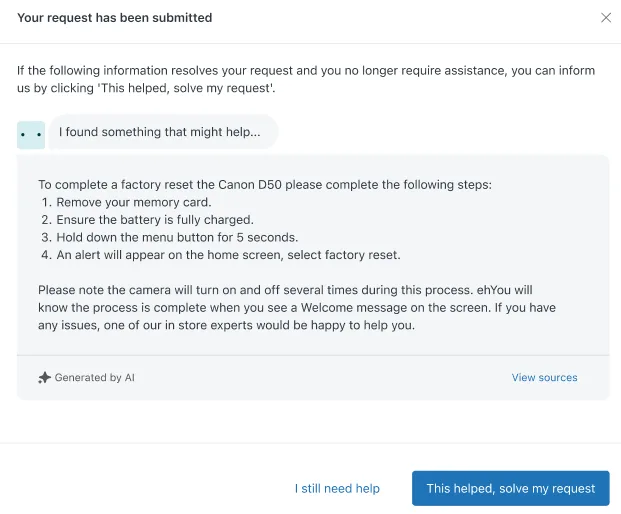
AI Agents can now provide immediate answers the moment a customer submits a web form. Requesters see the AI-generated response instantly, allowing them to potentially resolve their own issues and cancel the ticket before it ever reaches an agent’s queue.
Requires Add-On? No
How to Implement:
- Go to Admin Center > AI > AI agents.
- Create a new or edit an existing AI Agent.
- Select the Web Form channel.
5. Mandatory Security: End-User Attachment Authentication
Zendesk is increasing the security baseline for customer data. All files uploaded by end-users will soon require mandatory authentication, meaning users must sign in to view or download them. This change will become permanent for all accounts on April 28, 2026.
Requires Add-On? No, this is a standard security update.
How to Implement:
- Navigate to Admin Center > Objects and rules > Tickets > Settings.
- Locate the Attachments section.
- You can toggle Require authentication for files uploaded by end users on early to prepare your team.
- Review your Help Center workflows to ensure customers understand they may need to log in to access shared documents.
6. Google Workspace Connectors
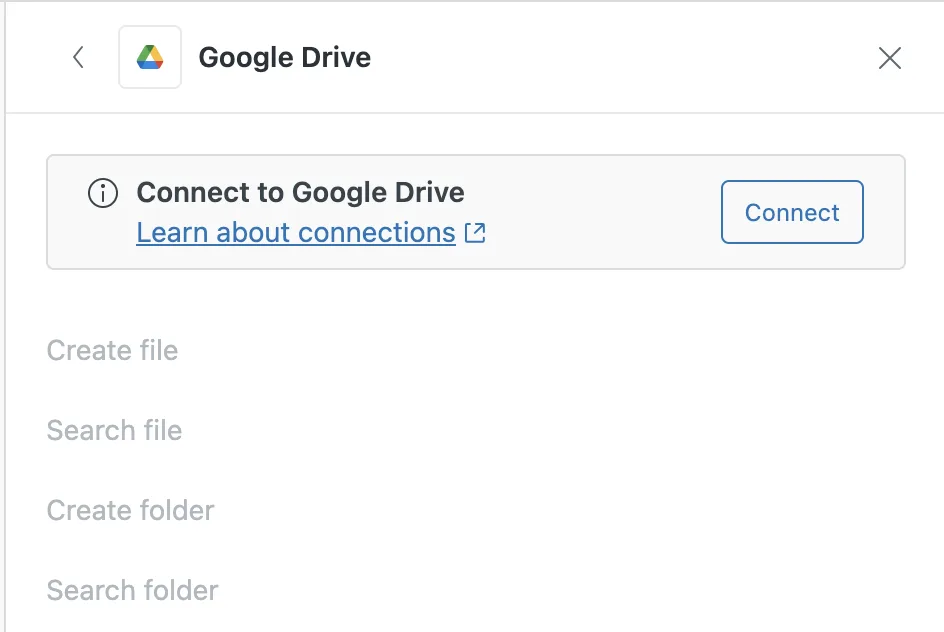
Three powerful new Google Workspace connectors have been added to Action Flows the Zendesk March 2026 release. You can now integrate Google Gemini for AI text analysis, Gmail for outbound emails, and Google Drive for automated file management directly within your Zendesk workflows.
Requires Add-On? These are available on plans that include Action Flows (typically Advanced AI or specific Enterprise plans).
How to Implement:
- In Admin Center navigate to Action Flows.
- Create a new flow.
- Click to add a step.
- On the right nav, scroll to external connections and select any of the Google Connections.
7. Simplified Web Crawler Setup
Indexing external websites to power your Help Center search has been overhauled for simplicity. The crawler now supports automatic sitemap discovery and allows you to target up to five specific URLs rather than indexing an entire domain, giving you more control over your search results.
Requires Add-On? No, this is an update to the standard web crawler in Zendesk Knowledge.
How to Implement:
- Navigate to Admin Center > Knowledge > Settings > Crawlers > Manage.
8. Better Customer Portals: Enhanced Request Lists
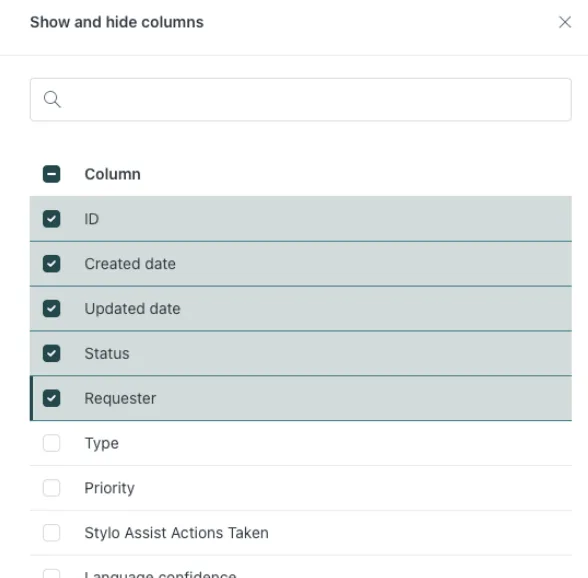
The Help Center request list experience is now Generally Available, offering customers a modernized way to track their tickets. Improvements include combinable filters (like status and date), better column sorting, and customizable visibility for a cleaner user experience.
Requires Add-On? No, this is a standard update to the Customer Portal.
How to Implement:
- This feature is automatically live in your Help Center Customer Portal.
- End users can use the Filter button to combine multiple search criteria.
- Users can customize their view by selecting which columns (ID, Status, Requester, etc.) are visible in their personal request list.
That’s a wrap!
✅ That’s a wrap on the Zendesk March 2026 Release! From built-in grammar checks to instant AI form answers, these updates focus on making support interactions more professional and efficient.
👉 Ready to put these features to work in your organization? Let’s chat about tailoring them to your support setup: Book a call today ↗