

Every month, Zendesk ships new features and enhancements designed to simplify workflows, improve agent productivity, and deepen AI-driven customer insights. Below is a breakdown of the Zendesk February 2026 release with updates, along with practical steps to get started.
You’re looking at Zendesk February 2026 Release – Missed our previous round-ups?
- ❄️ Zendesk January 2026 Release: Key Features
- 🚀 Zendesk December 2025 Release: Key Features
- 🚀 Zendesk November 2025 Release: Key Features
1. Tailor Your Search with Custom Columns
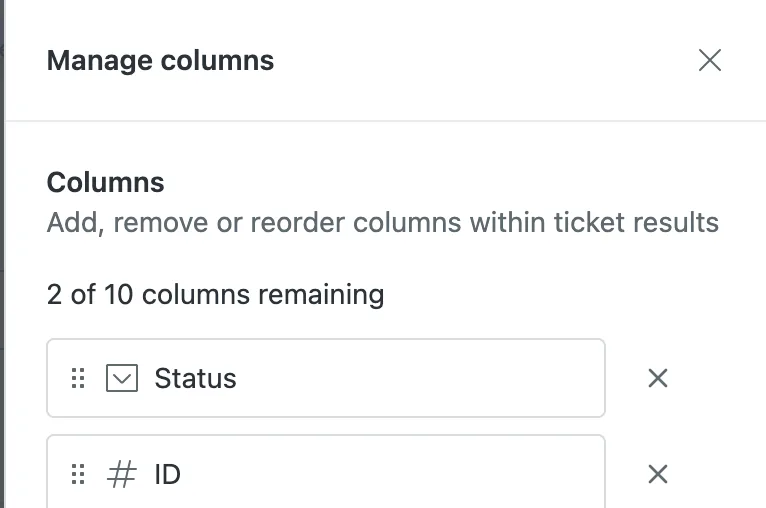
Stop scrolling through irrelevant data. Agents and admins can now add or remove columns in the search results table, tailoring views to individual workflows with up to 10 columns per object type. These customizations persist across sessions until you log out or clear your cache.
Requires Add-On? No, this is a standard update to Zendesk Support data searching.
How to Implement:
- Perform a search in your Zendesk Support instance.
- Locate the search results table and click the new customization options for columns.
- Select the fields you want to display, choosing up to 10 columns per object type.
- Drag to reorder the columns to suit your specific workflow.
- Click save; the view will remain customized until you logout or clear your browser cache.
2. Accessible Ticket Previews via Side Panel
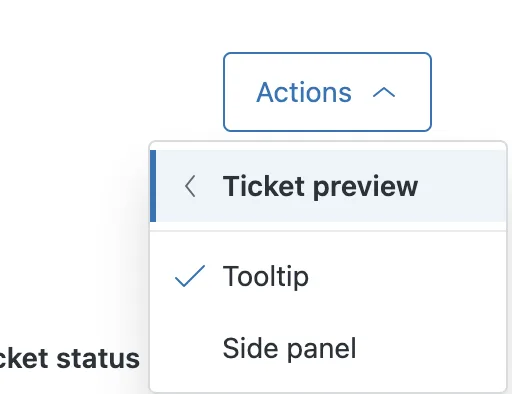
Zendesk has introduced a new Side Panel option for ticket previews in views. This is a massive win for accessibility, as the side panel is keyboard- and screen-reader-friendly, allowing agents using assistive technologies to scan key fields and recent conversations efficiently.
Requires Add-On? No, this is an enhancement to the core agent experience.
How to Implement:
- Navigate to any View in your Agent Workspace.
- Click Actions > Ticket Preview > select the Side Panel option instead of the default Tooltip.
- Click through your tickets; the side panel will now display the conversation context and fields on the right side of your screen.
3. AI Intent Quality Recommendations
Maintaining a massive intent library can lead to overlap and confusion. The new Intent quality recommendations in intelligent triage help you identify and resolve overlapping or duplicate intents that may be affecting your bot’s accuracy.
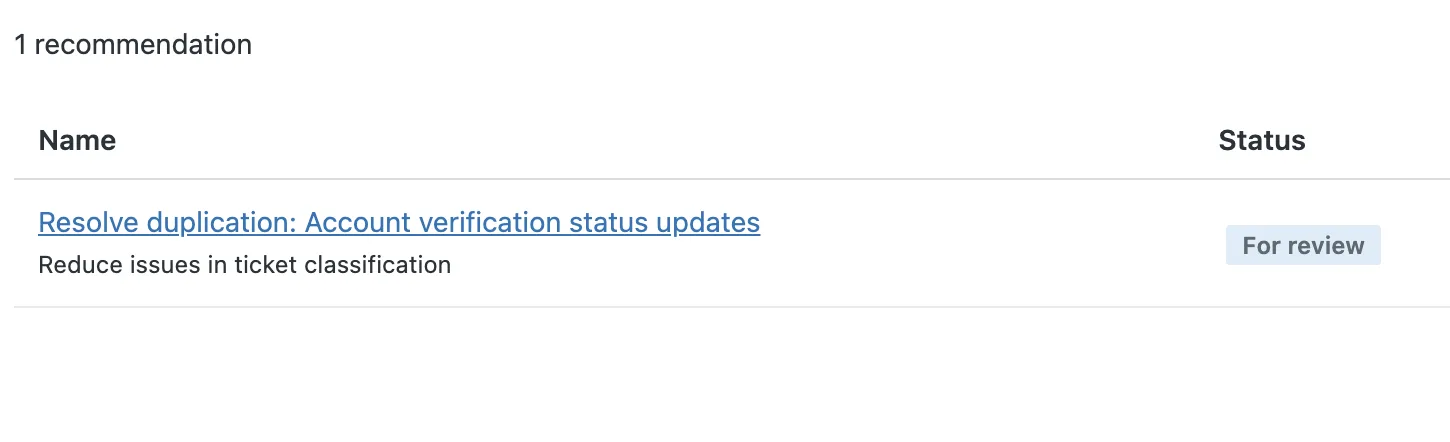
Requires Add-On? Yes, this requires Zendesk Copilot.
How to Implement:
- In Admin Center, navigate to AI > Intelligent triage.
- Open the Intent > Recommendations page.
- Look for flagged quality issues and review the provided context for each recommendation.
- Refine your intent definitions or apply the suggested fixes directly on the page to improve accuracy.
4. Group-Level Permissions for Copilot Features
You can now move beyond “all or nothing” AI access. Admins can assign access to specific features like Enhance Writing, Similar Tickets, and Merge Suggestions at the group level, providing tighter control over your AI rollout.
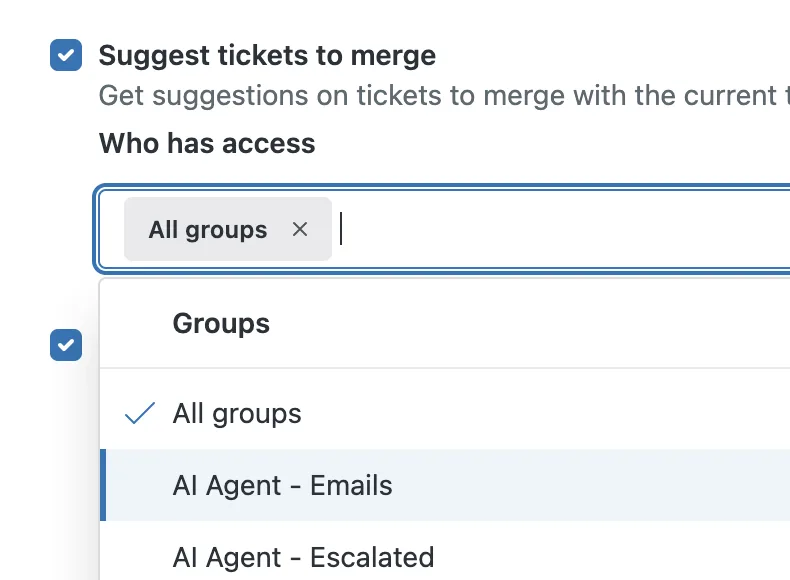
Requires Add-On? Yes, this is specifically for Zendesk Copilot features.
How to Implement:
- Go to Admin Center and navigate to AI > Agent Copilot
- Select the feature you wish to restrict (e.g., Enhance Writing).
- Under the Who has access section, change the setting from “All agents” to “Specific groups”.
- Search for and select the groups you wish to authorize.
- Click Save.
5. Custom Object Templates for Faster Setup
Setting up custom objects like “Contracts” or “Subscriptions” from scratch is now optional. New pre-built schemas allow you to deploy common business objects and their relationships in seconds.
Requires Add-On? No, this is available for plans that support Custom Objects but it is currently limited. If you want access, request it here.
How to Implement:
- In Admin Center, go to Objects and rules > Custom objects.
- Click Add object and select the option to use a template.
- Choose from common types like Contracts, Orders, Products, Projects, or Subscriptions.
- Review the pre-built schema and click to create.
- You can now further customize the fields or require values for specific fields as needed.
6. Centralized Messaging Notifications
The notification tray has been redesigned into a centralized event center. It now features filters for unread messages, chronological order groupings (e.g., “Recent” and “Earlier Today”), and read status indicators to help agents manage conversations more effectively.
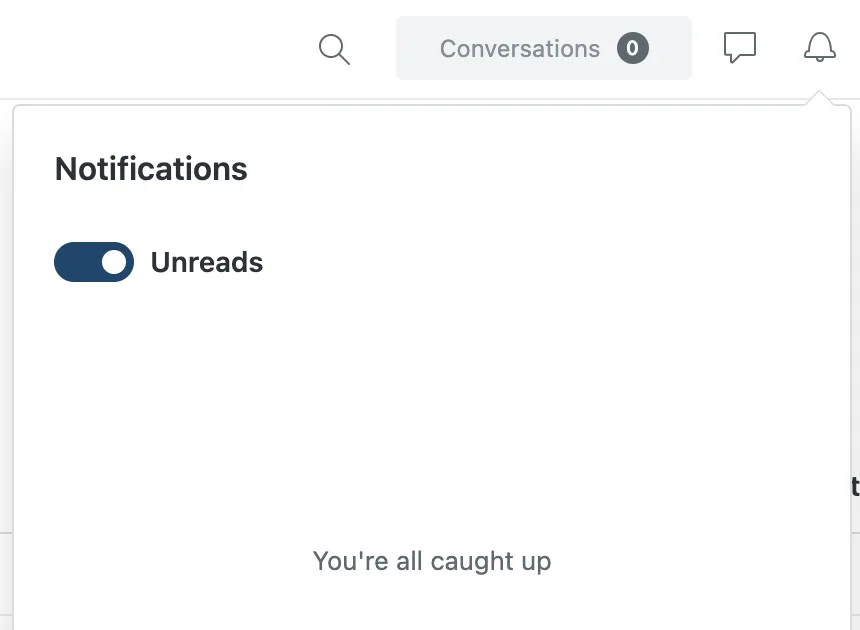
Requires Add-On? No, this is a UI update for messaging users.
How to Implement:
- Access your Agent Workspace.
- Click the Notifications icon (the bell) in the top-right corner to open the redesigned list.
- Use the Unreads toggle to filter for pending updates.
- Review your updates, which are now grouped chronologically (e.g., Recent, Earlier Today) for better prioritization.
7. Real-Time AI Suggestions for Phone Calls
Voice agents can now receive assistance during live calls. The system transcribes the call in real-time, understands the intent, and automatically searches your help center to provide relevant article suggestions.
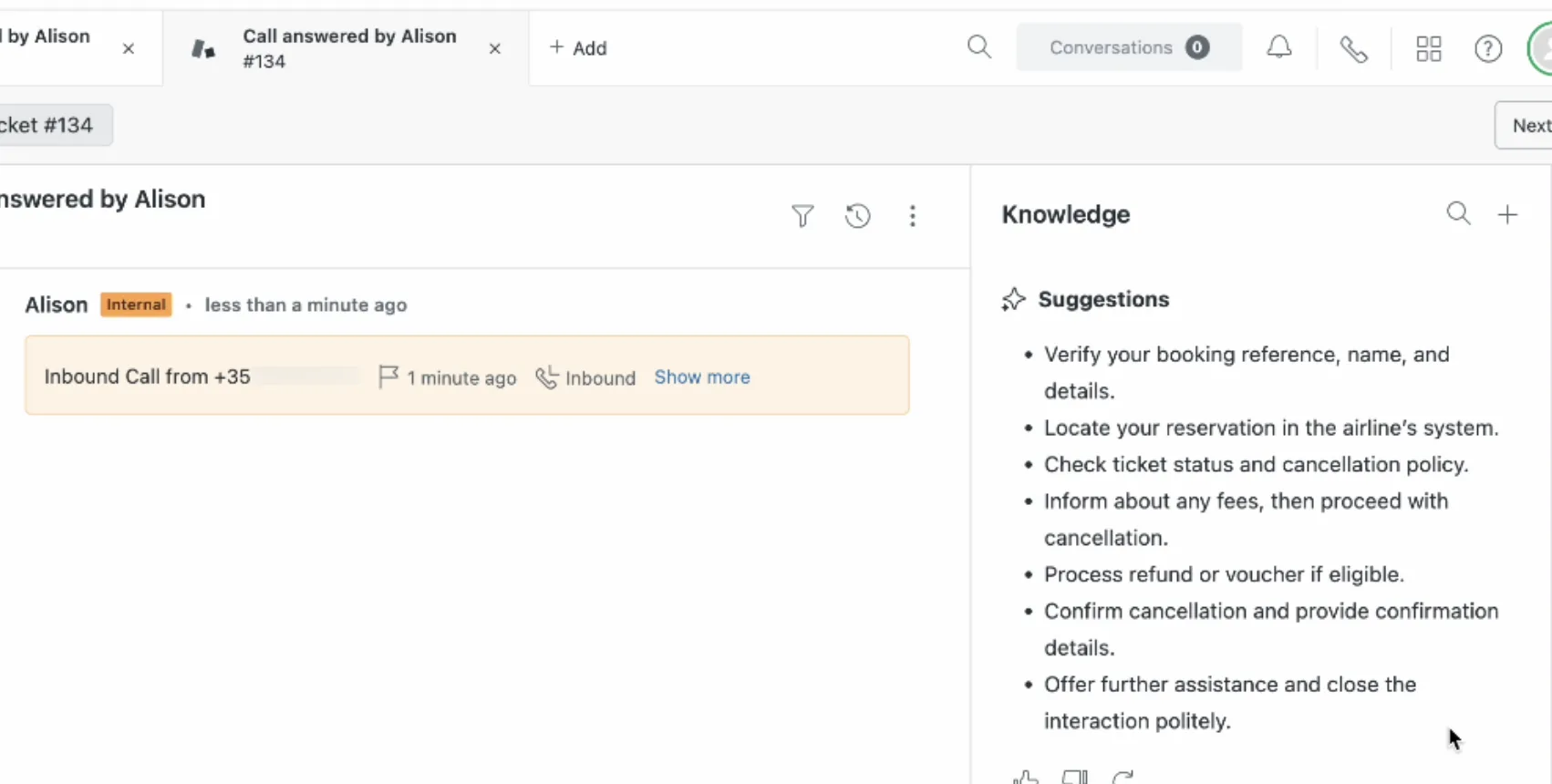
Requires Add-On? Yes, requires Contact Centre & Zendesk Copilot, call recording, and real-time transcription enabled.
How to Implement:
- Ensure call recording and real-time transcription are enabled in your Voice settings.
- In Admin Center, navigate to AI > AI features > Copilot.
- Enable the Real-time AI suggestions in Contact Center feature.
- Agents will now see a side panel during live calls that automatically surfaces help center articles based on the conversation.
8. Enhanced Security for End-User File Uploads
To prevent unauthorized access to customer data, admins can now require authentication for any files uploaded by end users. This ensures that customer-provided files are only accessible to authorized users while still allowing customers to receive files from agents.

Requires Add-On? No, this is a standard security enhancement.
How to Implement:
- Go to Admin Center.
- Navigate to Objects and rules > Tickets > Settings.
- Locate the Attachments section.
- Check the box to require authentication for files uploaded by end users.
- Click Save to apply the privacy setting.
That’s a wrap!
✅ That’s a wrap on the Zendesk February 2026 Release! From more accessible previews to real-time voice AI, these updates are all about making the daily agent experience smoother and more secure.
👉 Ready to put these features to work in your organization? Let’s chat about tailoring them to your support setup: Book a call today ↗