Zendesk often releases new features and updates, sometimes daily. Keeping up can be a challenge. Here’s our expert analysis of the latest announcement from October 21st, 2026.
A Small Zendesk Change with a Big Impact on Your Reporting Integrity
What We Think:
This is a long-overdue quality-of-life update that solves a significant data integrity problem for multi-brand organisations. While it seems minor on the surface, the ability to Zendesk change ticket brand post-closure is a huge win for accurate reporting, audits, and historical data cleanup. Crucially, it achieves this without corrupting resolution metrics by reopening tickets. It’s a simple, powerful, and very welcome fix.
The Reality Check: What’s Actually Changing?
For years, one of the immutable rules in Zendesk was that once a ticket’s status was set to ‘Closed’, its core properties—including the brand it was associated with—were locked in for good. This created major headaches. If an agent accidentally assigned a ticket to the wrong brand, or if your company reorganised its brand structure, your historical data was permanently flawed.
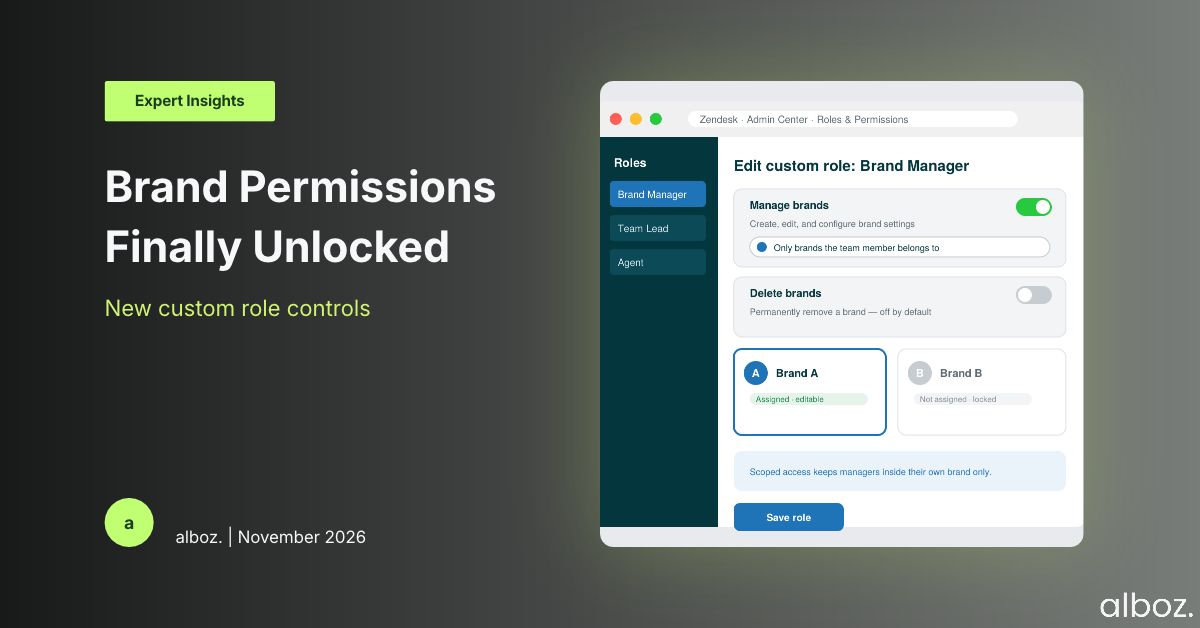
With this new update, Zendesk is finally breaking that rule. You will now be able to edit the brand field on a ticket even after it has been closed.
The most important detail here, and one Zendesk has rightly highlighted, is that changing the brand on a closed ticket does not reopen it. This is critical. It means all your existing resolution timestamps, SLAs, and ‘solved’ state metrics remain untouched. You’re simply correcting a piece of metadata, not altering the ticket’s event history. This is purely about data hygiene.
Our Expert Opinion: The Unsung Hero of Data Accuracy
Our take is that this seemingly small feature will have an outsized positive impact, especially for larger, more complex organisations. The announcement mentions teams like operations, billing, compliance, and HR discovering errors during audits, and this is exactly where the pain was felt most acutely.
Imagine a billing department trying to reconcile support costs across different business units, only to find that hundreds of tickets were mis-branded. Previously, the fix was to either live with the bad data or engage in complex, messy workarounds using ticket tags or custom fields, which rarely fixed downstream reporting in tools like Explore. The ability to Zendesk change ticket brand on closed tickets directly impacts the reliability of your data warehouse and any downstream analytics.
This update empowers you to:
- Correct Human Error: Agents are busy and mistakes happen. Now, a simple branding mistake doesn’t have a permanent impact on your analytics.
- Adapt to Business Changes: Companies merge, rebrand, or restructure. This feature allows your historical ticket data to evolve with your business, ensuring that reports from last year can still be accurately compared to reports today under a new brand structure.
- Pass Audits with Confidence: For compliance and financial audits, being able to demonstrate accurate, well-categorised records is non-negotiable. This tool makes correcting discovered errors straightforward.
This isn’t a flashy feature, but it’s a foundational one. Accurate data is the bedrock of any successful CX strategy, and Zendesk is giving administrators a vital tool to keep that foundation solid.
How We’d Handle the Rollout: A Strategic Cleanup Plan
Since this feature rolls out automatically to all multi-brand plans, no technical action is needed to enable it. However, we believe you need a strategic plan to use it effectively and responsibly. Simply giving everyone the ability to change historical data can lead to new problems if not managed.
Here is what we’re advising our clients to do. This kind of data cleanup project is a perfect component of a wider Zendesk Health Check to ensure your instance is optimised.
| Phase | Action Item | Key Consideration |
|---|---|---|
| 1. Audit & Identify | Run reports in Explore to identify tickets that were likely mis-branded. Look for patterns, such as tickets with specific tags or forms that don’t align with their assigned brand. | Define the scope of your cleanup. Are you going back one quarter, one year, or since the beginning of time? Be realistic about the effort versus the reward. |
| 2. Establish Governance | Define a clear policy for who is authorised to change the brand on closed tickets. We strongly recommend limiting this permission to Admins or specific Team Leads. | Document the process. Create a simple rule: when a change is made, the agent making the change must leave an internal note explaining why. This creates an audit trail. |
| 3. Execute the Backlog | Systematically work through the list of tickets identified in Phase 1 and correct their brand. This can be done manually for smaller sets or via the API for larger-scale cleanups. | If you have a large backlog, consider a phased approach. Start with the most recent data (e.g., the last 12 months) and work your way back. |
| 4. Update Training & Process | Update your agent training materials to reinforce the importance of correct brand selection from the start. Your new procedure to Zendesk change ticket brand should be clearly documented for the authorised team. | Communicate the change to your team, explaining why data accuracy is important and outlining the new process for requesting a correction. |
In conclusion, this update from Zendesk is a significant step forward for data integrity and operational flexibility. It removes a long-standing limitation and provides a clean, safe method for ensuring your historical support data is as accurate as possible. If your organisation uses multiple brands, this change will simplify your reporting and auditing processes immensely. Should you need a strategic partner to help you plan your data governance strategy around features like the new ability to Zendesk change ticket brand, our team of experts is here to help. Contact your alboz. Solution Consultant for guidance.