
A Decision Maker’s Guide to Future-Proofing Customer Support
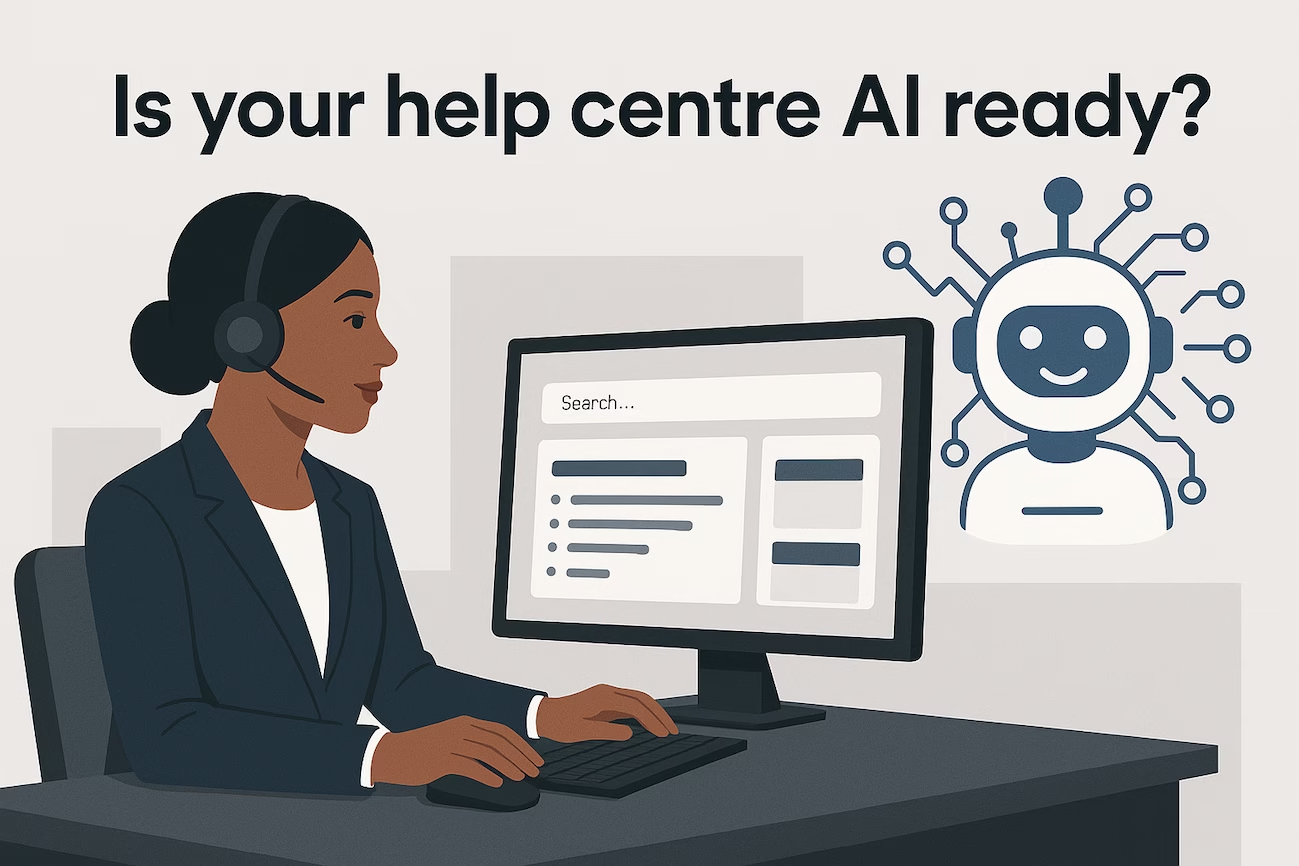
If you’re reading this, chances are you’ve noticed something unsettling about your help center. Maybe customers are complaining about not finding answers. Perhaps your support team is drowning in repetitive tickets. Or you’ve heard the buzz about AI transforming customer support and you’re wondering: Is my help center ready for this?
You’re not alone. Over 60% of mid-market companies are integrating AI into their customer support by 2025, but here’s the uncomfortable truth: AI won’t fix a poorly built help center—it’ll just expose its flaws faster.
The good news? With the right preparation, your Zendesk help center can become a powerful AI-ready asset that reduces costs, delights customers, and gives your team superpowers. This guide will show you exactly how to get there, without the technical jargon or overwhelming complexity.
Why Your Help Center Architecture Matters More Than Ever
Let’s start with what’s actually happening when you connect AI to your help center.
Understanding How AI Reads Your Knowledge Base
When you integrate generative AI with your Zendesk help center, the system doesn’t just “read” your articles like a human would. Instead, it uses a framework called Retrieval-Augmented Generation (RAG) that breaks your content into “chunks” of text, assigns each chunk a semantic meaning, and stores them in a database.
Here’s the process:
- Breaking it down: Your help center content is segmented into chunks tailored to capture both length and intrinsic meaning
- Understanding through numbers: Each chunk receives a unique numerical signature (a vector) representing its semantic meaning
- Matching wits: When a customer asks a question, the AI compares the question’s meaning with stored vectors to find the best match
- Delivering answers: The AI uses retrieved information to answer queries according to its instructions, tone, and safety guardrails
The critical insight? If your help center has duplicate information, conflicting answers, or poorly structured content, the AI will retrieve the wrong chunks and deliver inaccurate responses. This damages customer trust and your brand reputation.
The Real Cost of a Poorly Built Help Center
Before we dive into solutions, let’s talk about what’s at stake.
The Hidden Drain on Your Business
Inefficient help centers waste up to 20-30% of support budgets in SMB and mid-market companies. Here’s how:
- Longer resolution times mean higher labor costs per ticket
- Repeated escalations from customers who can’t find answers frustrate both customers and agents
- Agent burnout from answering the same questions repeatedly leads to turnover
- Lost customers who give up trying to find help and switch to competitors
The AI Opportunity (When Done Right)
On the flip side, AI-optimized help centers deliver measurable results:
- 20-50% reduction in average handling time
- 30-40% call deflection through effective self-service
- 10-20% improvement in customer satisfaction scores (CSAT)
- 25% increase in self-service resolution rates
- Significant cost savings by automating routine inquiries
But here’s the catch: these benefits only materialize when your help center foundation is solid.
The Five Pillars of an AI-Ready Help Center
Based on Zendesk’s best practices and insights from AI researchers, here are the essential elements your help center needs:
1. Eliminate Redundancies and Conflicts
The Problem: Duplicate or conflicting information confuses AI systems and leads to inconsistent answers.
The Solution:
- Conduct a comprehensive content audit to identify duplicate articles
- Remove outdated or conflicting information
- Establish a single source of truth for each topic
- Prioritize the most recent and pertinent content
Action Step: Create a content inventory spreadsheet. List every article, its topic, last update date, and whether similar content exists elsewhere. Flag duplicates for consolidation or deletion.
2. Structure Content for Semantic Clarity
The Problem: AI retrieves information based on semantic meaning. Poorly structured content leads to incomplete or inaccurate responses.
The Solution:
- Make each article directly answer a specific customer question
- Align questions and topics with their solutions in the article body (not just the title)
- Use clear hierarchy with descriptive titles and subtitles
- Keep paragraphs short and focused on specific points
Why This Matters: If your article title asks “How do I reset my password?” but the actual steps appear several paragraphs down without context, the AI might retrieve the wrong chunk and miss the solution entirely.
Action Step: Review your top 20 most-viewed articles. For each one, ensure the question or topic is repeated near the answer in the article body, not just in the title.
3. Create Hyper-Focused, Self-Contained Articles
The Problem: Unlike humans, AI agents cannot browse external links or follow references to gather additional context (unless trained to do so).
The Solution:
- Structure articles to be comprehensive and self-contained
- Cover each support topic thoroughly within your help center
- Avoid nested instructions—present multiple solutions as separate, clear steps
- Include all necessary information without relying on external links for critical details
Real-World Example: Instead of writing “To configure advanced settings, see our API documentation,” include the essential configuration steps directly in the article, with a link to API docs for users who need deeper technical details. Or better yet, add your API specification site as an additional source.
4. Optimize Content Format for AI Processing
The Problem: AI interprets text and converts it to semantic meaning. Non-text elements (images, videos, diagrams) won’t be read or stored in the database.
The Solution:
- Ensure there’s a text-only version of every article
- Use bullet points for facts or tips
- Number your steps when detailing processes
- Avoid relying on tables (they’re harder for AI to understand than natural language)
- Spell out terms in full with abbreviations in parentheses when first introduced
Critical Insight: That helpful screenshot showing where to click? The AI can’t see it. Always include text descriptions of visual instructions.
5. Implement Smart Content Organization
The Problem: Without proper organization, AI struggles to retrieve the right information for the right users.
The Solution:
- Implement labels on your help center content
- Use search rules to tailor content visibility based on user attributes (location, subscription tier, etc.)
- Create a structured taxonomy with categories, tags, and metadata
- Maintain consistent terminology across all articles
Addressing Your AI Anxieties: What Decision Makers Really Worry About
Let’s address the elephant in the room. You’re interested in AI, but you’re also concerned. Here are the most common anxieties we hear from decision makers like you:
“Will AI Replace My Support Team?”
The Reality: AI is a complement, not a replacement. The most successful implementations use AI to handle routine inquiries (password resets, order status, basic how-tos) while freeing human agents to tackle complex, high-value interactions that require empathy and creative problem-solving.
What This Means for You: Your team becomes more valuable, not less. They’ll spend less time on repetitive tasks and more time building customer relationships and solving challenging problems.
“What If the AI Gives Wrong Answers?”
The Reality: This is a legitimate concern—and it’s exactly why help center preparation is crucial. AI accuracy depends entirely on the quality of your knowledge base.
The Protection:
- Start with a pilot deployment on low-risk queries
- Implement clear escalation workflows to human agents
- Use AI confidence thresholds (only answer when confidence is high)
- Monitor AI responses and continuously refine your content
Current data shows AI support bots succeed about 58% of the time for simple queries but drop to 35% for complex follow-ups. The gap? Usually poor knowledge base quality, not AI limitations.
“How Do I Measure If This Is Actually Working?”
The Reality: AI initiatives fail when there are no clear success metrics.
The KPIs That Matter:
- Resolution time: Reduction in average time to resolve issues
- First contact resolution (FCR) rates: Percentage of cases resolved without escalation
- Customer satisfaction (CSAT) scores: Improved customer feedback ratings
- Call deflection rate: Percentage of inquiries resolved without live agent intervention
- Agent productivity: Cases handled per agent and reduction in repetitive tasks
- Cost per contact: Reduction in support costs per interaction
Action Step: Establish baseline metrics before implementing AI, then track monthly improvements.
“This Sounds Expensive and Complicated”
The Reality: The biggest investment isn’t technology—it’s the time to properly prepare your help center.
The Practical Approach:
- Start with a content audit (can be done internally)
- Focus on your top 50 most-viewed articles first
- Use a phased rollout: pilot, refine, expand
- Leverage Zendesk’s built-in AI capabilities (you may already have access)
One mid-market company achieved a 25% increase in self-service resolution rates by simply updating their knowledge content and pairing AI chatbots with clear escalation workflows—no massive technology overhaul required.
The Step-by-Step Roadmap to AI Readiness
Ready to take action? Here’s your practical implementation roadmap:
Phase 1: Assess and Audit (Weeks 1-2)
Tasks:
- Inventory all help center articles
- Identify duplicates, conflicts, and outdated content
- Review your top 50 most-viewed articles for AI readiness
- Establish baseline metrics (current resolution time, CSAT, ticket volume)
Deliverable: Content audit report with prioritized improvement list
Phase 2: Clean and Optimize (Weeks 3-6)
Tasks:
- Consolidate or delete duplicate content
- Rewrite top articles using AI-ready formatting (questions aligned with answers, clear structure, self-contained)
- Add text descriptions for visual instructions
- Implement consistent terminology and labeling
Deliverable: Optimized top 50 articles ready for AI integration
Phase 3: Pilot and Test (Weeks 7-10)
Tasks:
- Enable AI on a limited set of low-risk queries
- Monitor AI response accuracy and customer feedback
- Establish escalation workflows to human agents
- Refine content based on AI performance data
Deliverable: Pilot results report with refinement recommendations
Phase 4: Expand and Scale (Weeks 11+)
Tasks:
- Gradually expand AI to additional query types to ensure you’re AI-ready
- Continue content optimization for remaining articles
- Train support team on AI-assisted workflows
- Establish ongoing content governance processes
Deliverable: Fully operational AI-ready help center with continuous improvement process
Common Mistakes to Avoid
Learn from others’ missteps:
Mistake #1: Rushing Implementation Without Preparation
Don’t plug AI into a messy help center and expect magic. As one expert put it: “If your house isn’t in order, AI won’t fix it. It’ll just make the mess faster.”
Mistake #2: Trying to Automate Everything
AI currently handles simple queries well but struggles with complex, nuanced issues. Know its limitations and design accordingly.
Mistake #3: Neglecting Employee Engagement
Your support team needs to understand AI is their ally, not their replacement. Involve them early, train them properly, and address concerns transparently.
Mistake #4: Ignoring Data Privacy and Security
Ensure your AI implementation complies with data protection regulations and your customers’ privacy expectations.
Mistake #5: Setting It and Forgetting It
AI performance improves with continuous refinement. Establish regular review cycles to update content and optimize AI responses.
The Bottom Line: AI Is Here. Are You Ready?
Here’s the truth: AI integration in customer support isn’t a question of “if” but “when.” By the end of 2025, 75% of organizations will augment contact center agents with AI. The companies that thrive will be those that prepare their foundations now.
Your Zendesk help center is that foundation. Invest the time to build it right, and AI becomes a powerful multiplier of your support capabilities. Neglect it, and AI will simply amplify your existing problems.
The choice is yours.
Ready to Build Your AI-Ready Help Center?
You don’t have to navigate this transformation alone. As Zendesk consultancy specialists, we help SMB and mid-market companies like yours prepare help centers for the AI future—without the overwhelm or technical complexity.
We can help you:
- Audit your current help center and identify AI-ready gaps
- Develop a practical, phased implementation roadmap
- Optimize your content for maximum AI performance
- Implement and monitor AI integration with clear success metrics
- Train your team to work effectively with AI-assisted workflows
The result? A help center that reduces support costs, delights customers, and positions your business for the AI-powered future of customer support.
Take the First Step Today
Don’t let anxiety about AI hold you back from the competitive advantages it offers. Start with a simple help center assessment to understand where you stand and what quick wins are available.
Schedule Your Free Help Center AI-Readiness Assessment
Let’s build something remarkable together.
This guide draws on Zendesk’s official best practices for preparing help centers for generative AI, combined with current industry research and real-world implementation insights from leading customer support organizations.