

Puzzled by Zendesk’s AI or AI in general?
Let’s break AI Agents down in a 2-minute read so you can get on with implementing some really useful features on your Zendesk support platform.
📒 Important Note
Zendesk’s Advanced AI offering is not in the context of this article. This is only about AI Agents.
You’ve probably heard a lot about AI lately and have possibly been bombarded by Zendesk’s AI offerings since their Relate conference this year. If you struggle to grasp it all, don’t worry. Here’s only what you need to know at the very basics.
This barely touches the surface of AI capabilities but might just give you a nugget or two to increase your knowledge and help you move towards something a little more intelligent.
Zendesk’s AI Agent is an advanced, AI-driven virtual assistant designed to enhance customer support by handling complex interactions and automating tasks. In short, you can use it to deflect tickets and reduce your human agent workload. Done well, it increases the scalability of your support operation.
Auto-replies
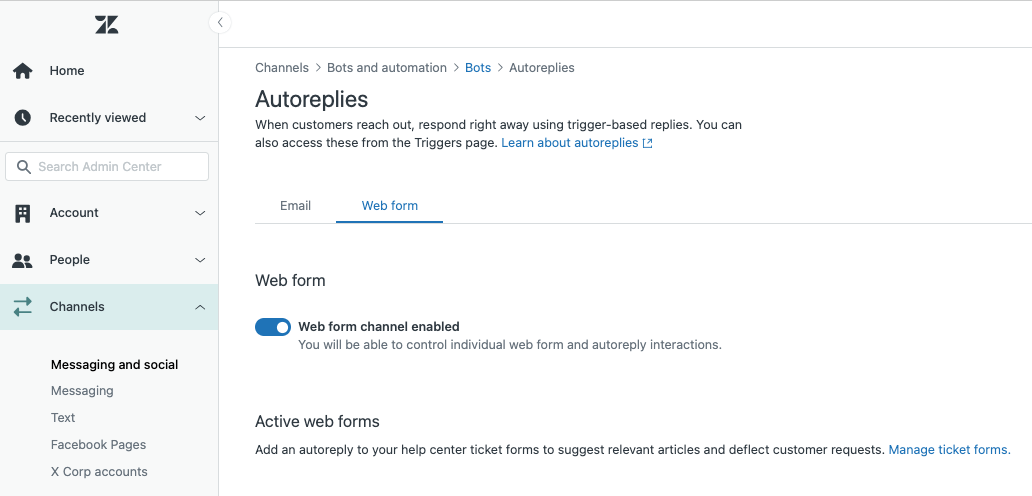
This is probably the most fundamental AI Agent feature you can implement and honestly, every Zendesk instance should have it enabled. Auto-replies leverage your help centre articles and intents to formulate suggested answers to customer requests.
For email and web channels, there are two ways to implement these:
- Recommended Articles: Web Form Request Submission
- Recommended Articles: Email Request Submission
Recommended Articles: Web Form Request Submission
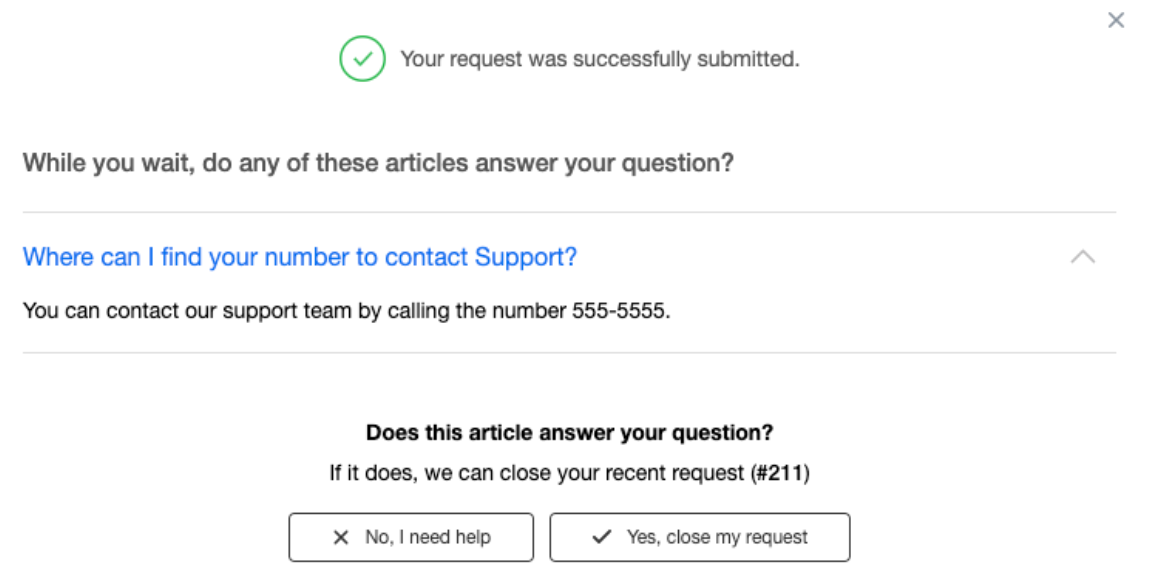
When enabled, this dialogue shows immediately after an end-user submits a request via a request form in your help centre. It suggests help centre articles based on what the end-user typed into the summary and description fields.
If you have content in your help centre and use either web forms or email channels, you should definitely implement this. If you don’t have a knowledge base yet, start building one first.
Recommended Articles: Email Request Submission
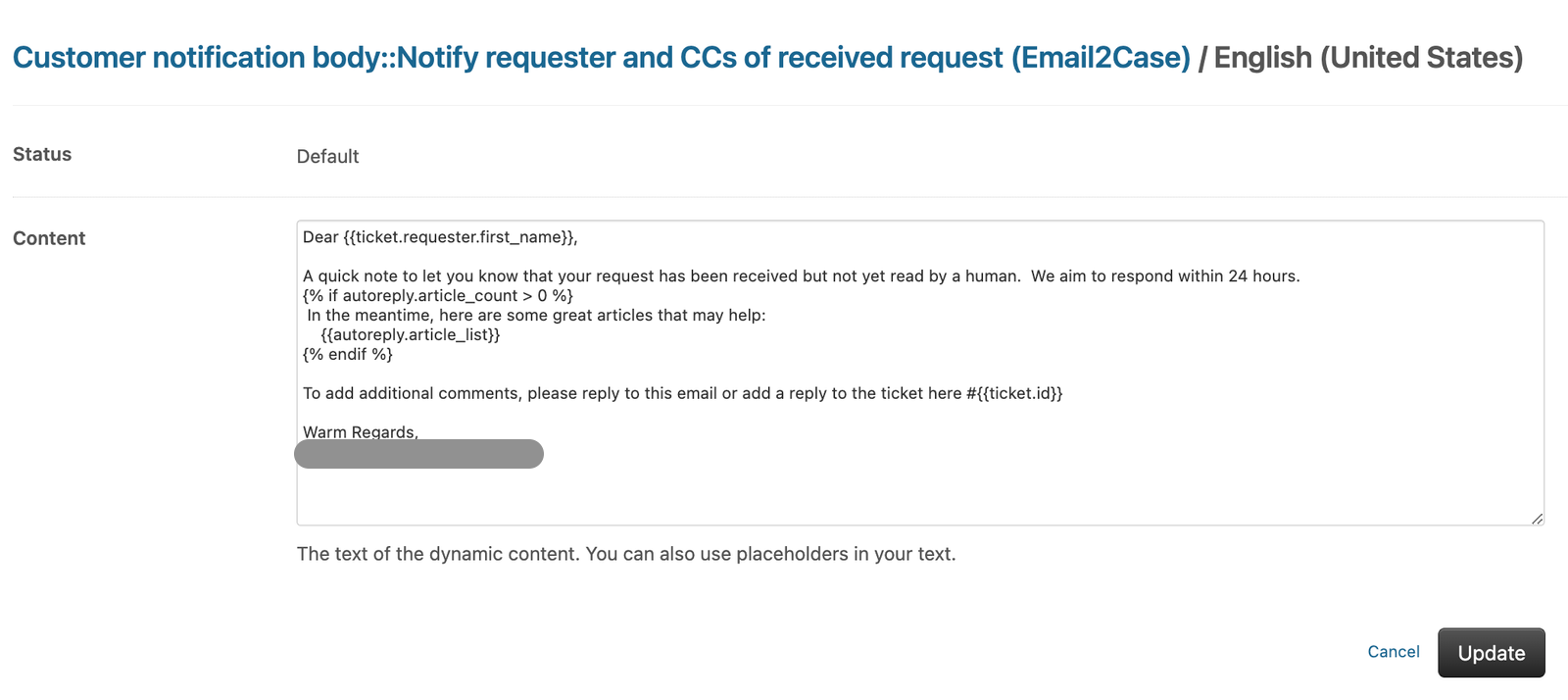
Configured via a trigger, this sends up to three suggested articles from your help centre based on the content of the email. In the example above, dynamic content is used to implement autoreply in a multi-lingual environment. If you have content in your help centre and use email or web forms, this should be enabled.
Beyond Auto-replies
As of July 2024, practically every other AI feature in AI Agents is available only on the Messaging channel by adding a bot. A bot sits on top of your messaging channel. Here’s a rundown in plain English.
Generative AI
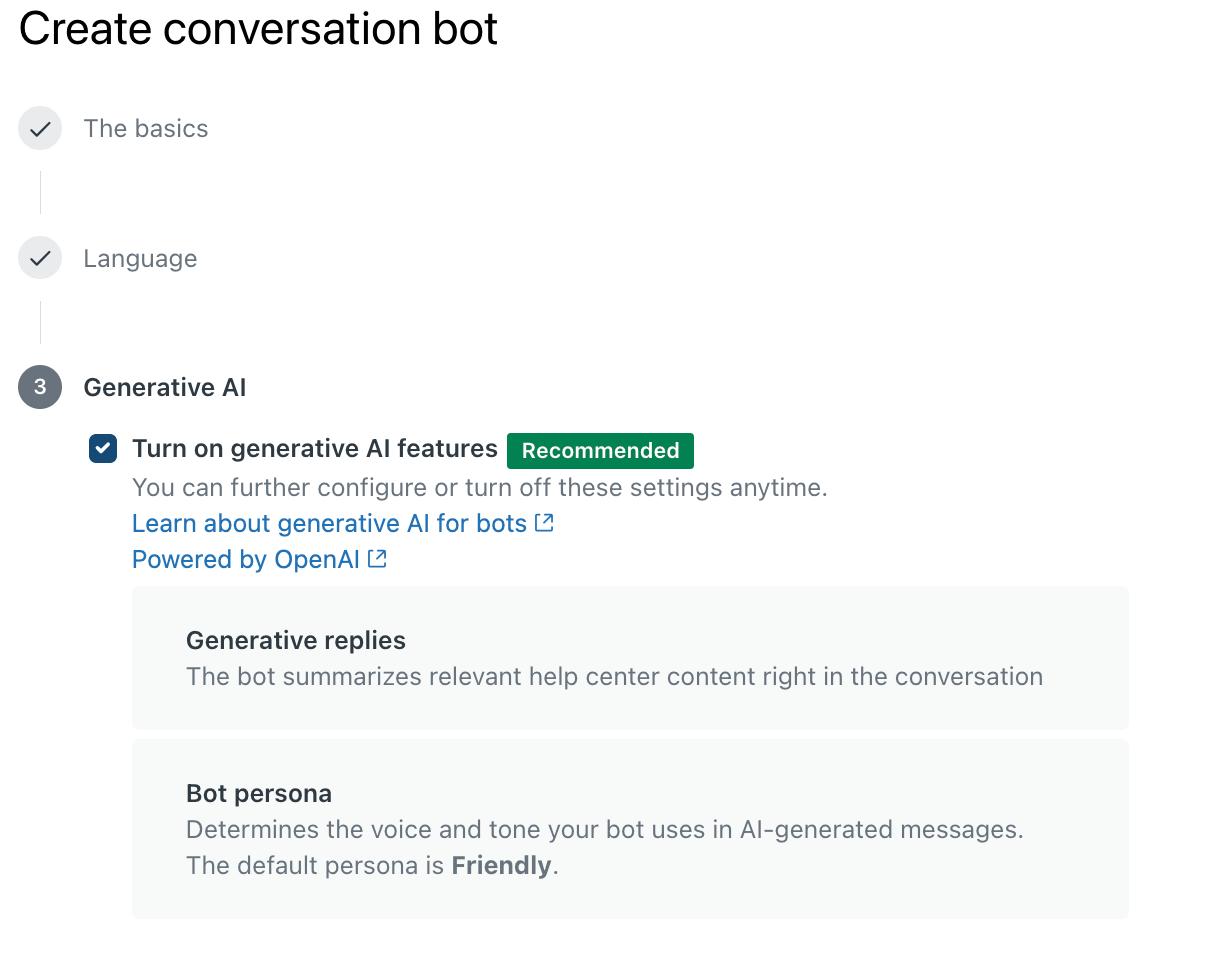
You can immediately smarten up your Messaging by enabling Generative AI for the bot when setting it up. This allows your bot to generate responses by leveraging your help centre content. Even if this is all you do, you’ve already made progress.
Answers
Answers are the pre-written conversation prompts you see in a chatbot.
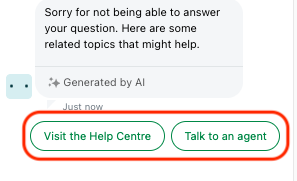
In this test, the bot could not find anything in the help centre so suggested two Answers which I had defined. Each Answer has a flow I can configure. In the example, the Visit the Help Centre flow simply links the user to the Help Centre.
Intents
Think of intents as use cases or customer situations, such as requesting a refund or checking account verification status.
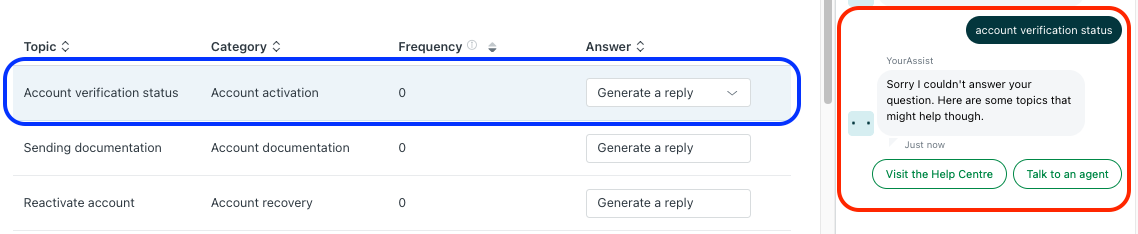
Here, the intent Account verification service is set to Generate a reply from the Help Centre. Since no relevant content exists, the bot defaults to suggesting the two Answers:
- Visit the Help Centre
- Talk to an agent
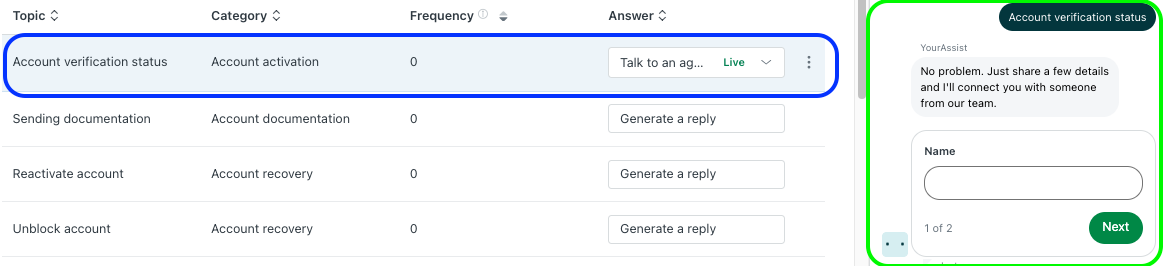
In this second example, I changed the intent’s Answer to Talk to an agent. The bot then initiates the Talk to an agent workflow instead. When you create a bot for your Messaging channel, you’ll need to build flows for your business. Zendesk provides about a dozen templates for common use cases.
This only scratches the surface of Answers and Intents but is enough to get a basic bot up and running in minutes.
Advanced AI
Beyond this, Zendesk’s AI Agents can be extended with integrations and API calls but that’s a topic for another post.
One important note: Zendesk is introducing per-resolution pricing in August 2024. There will be a small charge per resolution considered due to AI Agents. Be sure to monitor your usage in Account > Usage > AI and bots usage.