Zendesk consistently rolls out new features to enhance its platform. We’re here to cut through the noise, providing our expert analysis on what these changes really mean for your day-to-day operations.
Zendesk Visual Alerts: A Small Nudge with a Big Impact on Agent Workflow
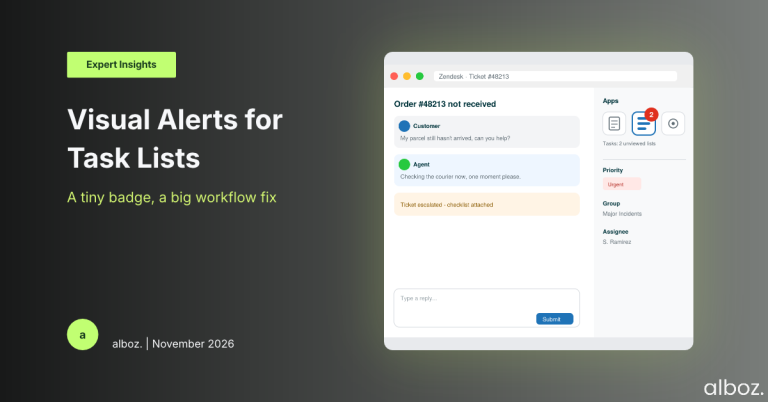
What We Think: Zendesk has introduced a simple but powerful visual cue—a numbered badge on the Tasks app icon within the ticket. This badge highlights unviewed task lists, addressing a critical visibility gap that often caused procedural steps to be missed, especially when added mid-resolution. Our verdict? This is a fantastic quality-of-life improvement that boosts process adherence and reduces agent guesswork. It’s a subtle change that will have an outsized positive impact on teams who rely on task lists for complex workflows.
The Reality Check: Cutting Through the Jargon
Let’s be honest, we’ve all seen it happen. A complex ticket comes in, and an automated workflow attaches a crucial checklist. Or, a senior agent escalates a ticket and manually adds a set of tasks for the next person to handle. The problem? Until now, there was no obvious, in-your-face notification to signal that this new list of to-dos had appeared. Agents had to remember to proactively check the Tasks app, which often led to missed steps and inconsistent service delivery.
Zendesk is fixing this blind spot with the new Zendesk Visual Alerts. In simple terms, a red, numbered badge will now appear on the Tasks app icon in the context panel whenever a new, unviewed task list is added to a ticket. It’s an unmissable signal that says, “Hey, there’s something new here you need to look at.”
It’s important to understand exactly what the number in the badge represents. It’s a count of unseen task lists, not the total number of individual tasks. If two separate checklists are added, the badge will show a “2”. As soon as you open the Tasks app to view them, the badge disappears. It’s a clean, simple, and effective way to draw an agent’s attention exactly when it’s needed.
Our Expert Opinion: Why This Tiny Badge is a Big Deal
On the surface, this seems like a minor UI tweak. But from an operational standpoint, this is a game-changer for workflow reliability. The real power of this feature comes to life in dynamic, multi-stage resolutions. We call this the “mid-ticket trigger” problem.
Imagine a scenario where a ticket’s priority is upgraded, or it’s moved to a different group. You might have an action flow that automatically triggers and applies a new “Major Incident Checklist.” Before this update, the agent assigned to the ticket might be completely unaware of this new set of instructions. They’d continue working the ticket based on the old information, completely missing the new, urgent procedure. This update closes that loop entirely. The badge provides an immediate, persistent visual cue that the rules of engagement have changed for this ticket.
This small change massively increases the value and reliability of Zendesk’s automation tools. It gives us, as solution designers, more confidence to build sophisticated, multi-step processes using action flows and API integrations. We know that when a process dictates a new set of tasks, the agent on the ground will actually see them. This enhancement makes the entire Zendesk Agent Workspace more intelligent and responsive, reducing an agent’s cognitive load by pushing crucial information to them instead of forcing them to pull it.
The introduction of Zendesk Visual Alerts is a testament to how small, thoughtful design choices can significantly improve process adherence and overall agent effectiveness. It’s not a flashy new dashboard, but its impact on ensuring standard operating procedures are followed will be tangible.
How We’d Handle the Rollout: An Action Plan
The good news is that this feature is enabled automatically with no configuration required. However, a “no-setup” feature doesn’t mean a “no-plan” rollout. Success depends on communication and process refinement. Here is what we’re advising our clients to do to maximise the benefit of this update.
| Action Item | Owner | Rationale |
|---|---|---|
| Communicate the Change to Agents | Team Lead / Internal Comms | Send a brief announcement explaining what the new badge is, what it means (unviewed lists, not tasks), and the expected action (click to view). This prevents confusion and ensures immediate adoption. |
| Review Existing Workflows & Automations | Zendesk Administrator / CX Process Owner | Analyse your action flows, API triggers, and manual escalation paths where task lists are added. Identify areas where this new visibility will be most critical and consider expanding your use of tasks now that they are more visible. |
| Update Onboarding and Training Materials | Training Manager / Team Lead | Add a screenshot and a clear explanation of the task alert badge to your agent training documentation. Ensure that new hires understand this crucial UI element from day one. |
| Gather Feedback from the Frontline | Team Lead / Manager | After a week or two of use, check in with your agents. Does the alert help them stay on top of their work? Is the behaviour intuitive? This feedback is vital for understanding the real-world impact and identifying opportunities for further process improvements. |
By proactively managing the communication around the new Zendesk Visual Alerts, you can ensure your team leverages it effectively from the moment it appears. This isn’t just a new bell or whistle; it’s a tool for reinforcing best practices and driving consistency.
In conclusion, this update is a prime example of a small, user-centric improvement that delivers significant operational value. It directly addresses a common pain point and strengthens the reliability of Zendesk’s more advanced workflow capabilities. If you need assistance reviewing your current workflows to take full advantage of this and other platform enhancements, our alboz. Solution Consultants are here to help.